
User's Manual





68
English
Advanced Operation
Channel Scan Mode
During Channel Scan mode, the radio will rapidly switch
from channel to channel through all the channels. Whenever
any activity is detected, the radio will stop the scan for 10
seconds to allow you to listen briefly on that channel. The
radio will then continue to scan unless you switch out of the
Channel Scan mode. The radio will perform normal
scanning operations from either Marine (VHF) mode or
GMRS mode, but it will only scan in that band.
NOTE
The radio must be squelched for the Channel Scan
mode to function. See page 40 for Squelch
procedure.
To Enter Channel Scan:
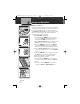
1. From Marine or GMRS Standby mode, press the
SCAN button. The radio will immediately begin to
scan the entire channel map selected in the active
channel map. The SCAN icon will show on the LCD.
2. A signal on any channel will stop the scan for 10
seconds to allow you to listen to the traffic on that
location.
NOTE
After the channel scan stops to monitor a channel, as
long as you do not press any buttons within 10
seconds, your radio will automatically resume
scanning the Channel Scan channels.
3. Press the Channel Up/Down button to resume
scanning the Channel Scan channels or to change
the scan direction.
4. To EXIT Channel Scan mode, press the SCAN
button again. The SCAN icon will disappear from the
LCD and the radio will return to Marine or GMRS
Standby mode.
Operating Your Radio
SCAN Button
SCAN Icon
Scanning
Channel Up/Down Button
MRHH425VP-Body-Eng.qxp:400_Body 10/26/06 1:38 PM Page 68