
User's Manual



39
Nothing Comes Close to a Cobra
®
Getting Started
•
Refer to the foldout at the front of this manual to identify the
various controls and indicators on your radio. Throughout
this manual you will be instructed to “Press” or to “Press
and Hold” various buttons (except “Push to Talk”) on the
radio. “Press” means a momentary press of approximately
one (1) second. “Press and Hold” means to hold the button
down for approximately three (3) seconds.
Whenever you press any button except the Talk button on
your radio, a brief tone (beep) will sound to confirm the
button press. With all button presses, the appropriate icon
will appear on the LCD and the backlight will turn On. The
backlight will stay on for 10 seconds after the button is
released.
At times, you will hear two (2) other sounds. Two (2) beeps
will sound to confirm your setting changes and three (3)
beeps will sound to notify you of an error.
Common Radio Functions (All Bands)
The following procedures define common operating
functions of the radio when in either Marine Standby,
GMRS Standby or Weather (WX) Standby modes.
Power/Volume/Squelch Controls
Power On/Off Control
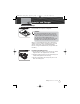
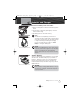
The On/Off/Volume control is located at the upper right
side of the radio. Turning the On/Off/Volume control
past the detent position will turn the radio On or Off.
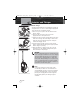
Volume Control
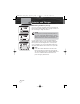
Volume is controlled by turning the On/Off/Volume
control.
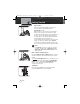
To increase the volume, turn the On/Off/Volume
control clockwise.
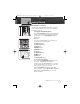
To decrease the volume, turn the On/Off/Volume
control counterclockwise.
Getting Started
MR HH425LI Radio
Operating Your Radio
On/Off Volume Control
(Clockwise)
On/Off Volume Control
(Counterclockwise)
MRHH425VP-Body-Eng.qxp:400_Body 10/26/06 1:37 PM Page 39