
User's Manual



40
English
Introduction
Getting Started
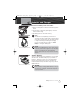
Squelch Control
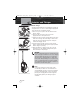
Squelch is controlled by turning the lower rotary
concentric knob located directly below the
On/Off/Volume control.
With the power On, turn the knob counterclockwise
until you hear a hissing sound, then turn the knob
clockwise until the hissing stops. This will establish a
“Baseline” squelch. By turning the knob further in a
clockwise direction, you will filter weak and medium-
strength signals. By turning the knob in a
counterclockwise direction (further from your baseline
setting), you will receive weaker signals. Squelch
control filters weak signals and radio frequency (RF)
noise so that you will clearly hear the signals you want.
NOTE
If the Squelch control is set so that you can hear a
continuous hissing sound, the Memory Scan, Tri-
Watch Scan, CTCSS Scan and DCS Scan functions
will be blocked.
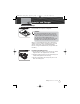
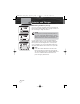
Radio Speaker and Microphone
The internal Radio Speaker and Microphone are located on
the bottom front face of the radio below the lower control
buttons.
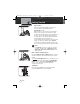
An optional
Speaker/Microphone port is located at the top
of the radio between the antenna and the Power/Volume/
Squelch control. Unthread the Speaker/Microphone port
cover to access and install an optional speaker or
microphone into this port.
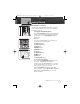
Talk Button
Press and hold the Talk button to transmit messages.
Release the Talk button to stop transmitting.
Operating Your Radio
Squelch Control
Speaker/Mic Port
Talk Button
MRHH425VP-Body-Eng.qxp:400_Body 10/26/06 1:37 PM Page 40