
User's Manual



Introduction
41
Nothing Comes Close to a Cobra
®
Getting Started
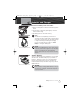
Backlight/Key Lock Button
The LCD will be illuminated by the backlight as long as any
button is pressed and will remain On for 10 seconds after
the button is released.
To Display the Backlight Momentarily:
Press the Backlight/Key Lock button. The backlight will
remain On for 10 seconds. If the backlight is already
On, another press of the Backlight/Key Lock button
will turn it Off.
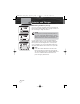
Key Lock
To prevent accidental changes to your settings, you
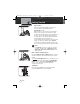
can lock all of the following buttons:
Channel Up Button
Channel Down Button
SCAN Button
MEM/ESC Button
WX/H-M-L Button
16/9 Button
TRI-WATCH Button
BAND Button
REW Button
Call/Enter/Setup Button
To Lock or Unlock the Buttons:
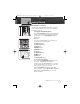
Press and hold the Backlight/Key Lock button for two
(2) seconds. The Key Lock icon will appear or
disappear in the LCD. When Key Lock is On, pressing
any of the listed buttons on the front of the radio will
result in a three (3) beep error message.
Both the Backlight/Key Lock button and the Talk
button are active — you can Receive (Rx) or Transmit
(Tx) a message with Key Lock On, but you cannot
change the channel.
Operating Your Radio
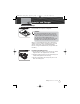
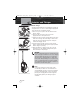
Backlight/Key Lock Button
Key Locked Buttons
Key Lock Icon
MRHH425VP-Body-Eng.qxp:400_Body 10/26/06 1:37 PM Page 41