
User's Manual




Introduction
45
Nothing Comes Close to a Cobra
®
Setup Mode Programming
USA/International/Canada Channel Maps
Three (3) sets of VHF Channel Maps have been established
for marine use in the USA, Canada and the rest of the world
(International). Most of the channels are the same for all
three (3) maps, but there are definite differences (see table
on pages 20 through 27). Your radio has all three (3) maps
built into it and will operate correctly in whichever area you
choose.
To Set Channel Map Operating Area:
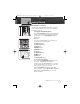
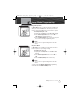
1. The Channel Map mode is the first mode that
begins the Marine (VHF) Setup programming.
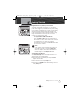
2. U, I and C icons will display, with the current setting
(the U icon is the default) flashing.
3. Press Channel Up/Down button to select the U, I or
C icon.
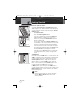
4. Press Call/Enter/Setup button to save this entry and
move to the next setup programming mode.
NOTE
One or two of the channel maps might have been
disabled for sales of this radio in some countries.
Operating Your Radio
Set Channel Map
Channel Up/Down Button
Active Channel Map Icon
MRHH425VP-Body-Eng.qxp:400_Body 10/26/06 1:37 PM Page 45