
User Manual
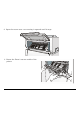
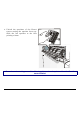
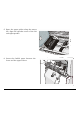
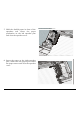
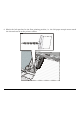
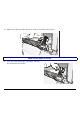


Table Of Contents

118
12. Reposition the Front2 tractor in its initial
position.
13. Open the printer cabinet door and lay the
paper staple onto the shelf inside the
printer cabinet:
• Onto the lower shelf if you are using only
one paper staple. The paper must be fed
in front of the antistatic cable;
• Onto the upper shelf if you are going to
install a second paper staple. The paper
must be fed behind the antistatic cable.
14. Close the printer cabinet door and the
tractor area cover. Press the
LOAD/FF
key
to load the paper into the printer.
Antistatic cable