
Troubleshooting guide

10
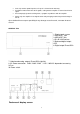
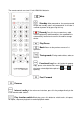
By pressing on the remote control for 2 seconds it will take you into standby
status.
WARNING: During playback of USB mobile HDD files, be sure to touch the icon
of the touchscreen interface or key on the remote control to stop and exit to
go into standby status, otherwise it is possible to damage the HDD.
Start the system as long as you press the Standby key.
Playing external USB removable storage files
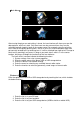
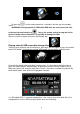
Touch the main interface icon to centralize it, then touch the icon again, or press the remote
control "OK button", to go into the external USB mobile storage device selection menu.
Centralize the default external/mobile hard drive icon, this time directly touch the icon or
press the remote control "confirm button" to go directly into the external hard disk file list.
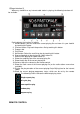
When you select a file, enter the track file list. At this time select a remote file and click the
confirmation button, then enter the file playback interface.
If a USB mobile HDD is selected, the operation is the same as that of the local disk. For a
storage device such us USB flash disk, please enter the file directly.