User manual


Limitations and Points of Improvement
I had mentioned that there could be some points of improvement
as far as network operation goes. These include the ability to use
the unit’s display and controls to select and control audio
material from DLNA servers on the home network, without the
need to switch on the TV display. Similarly, the receiver could
offer what competing home-theatre receivers offer where you
can “tune in to” Internet-radio stations offered by vTuner, Reciva
or RadioTime directories.
For operation, amain point of improvement would be to allocate
one video monitor as a “control monitor” while the other monitor
shows video content. Here, it could allow for asmaller screen to
be used for this purpose while the larger screen is used for the
primary video.
Conclusion and Placement notes
Save for certain network-media limitations, this receiver would
be considered as aworthy candidate for aprimary “hub unit” for
the main home-theatre area. It is also well-placed for audio
enthusiasts or people who have material on legacy formats like
vinyl records and want to be able to play these material on good
equipment.
Notes:
The cited output power is based on manufacturers’ specifications
with an 8-ohm speaker load and 0.09% total harmonic distortion
(minimum quoted in the specifications).
Links
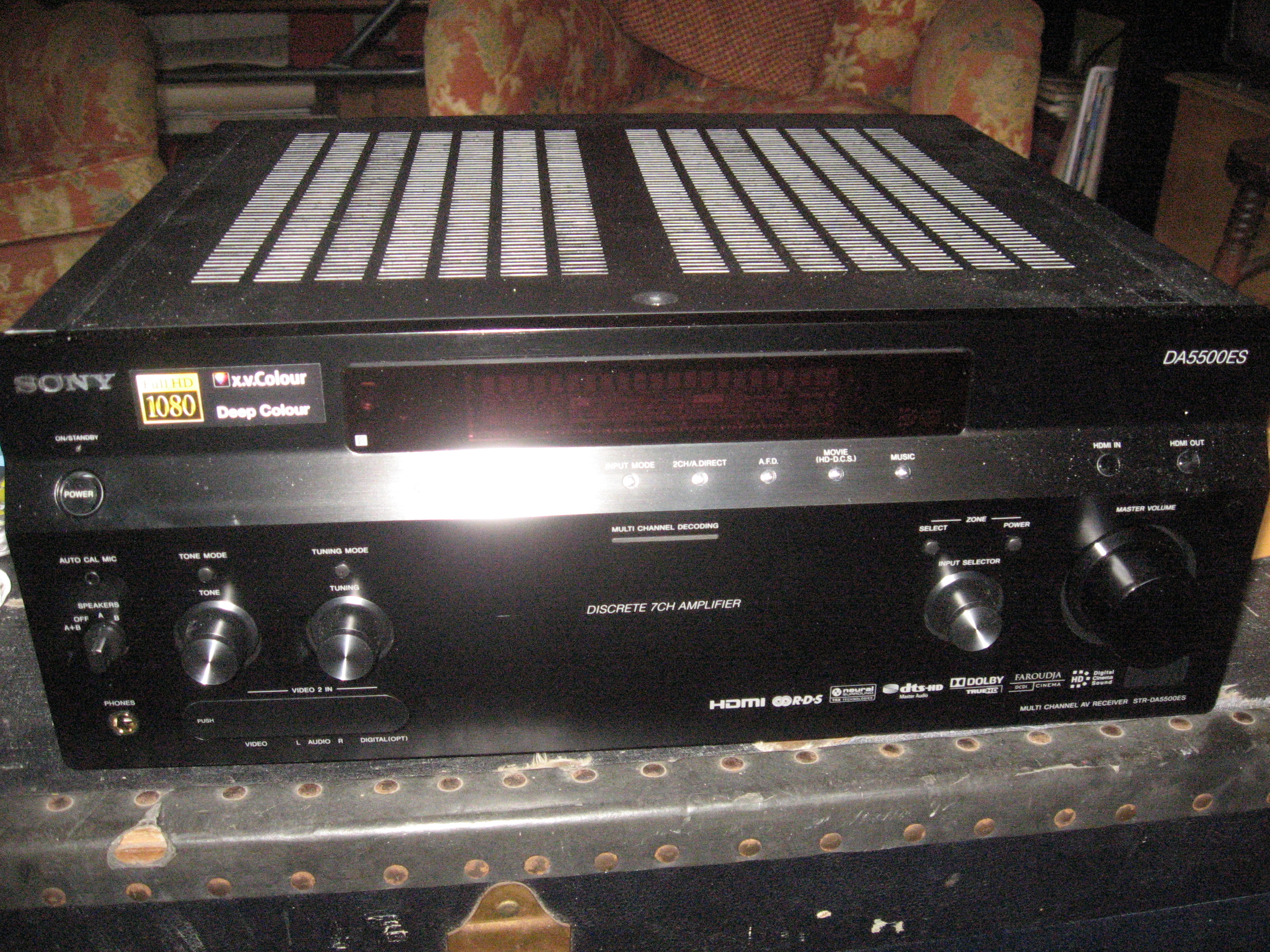
[1]
http://homenetworking01.info/wp-content/uploads/2010/05/Sony-
STR-DA5500ES-front.jpg#utm_source=feed&utm_medium=
feed&utm_campaign=feed
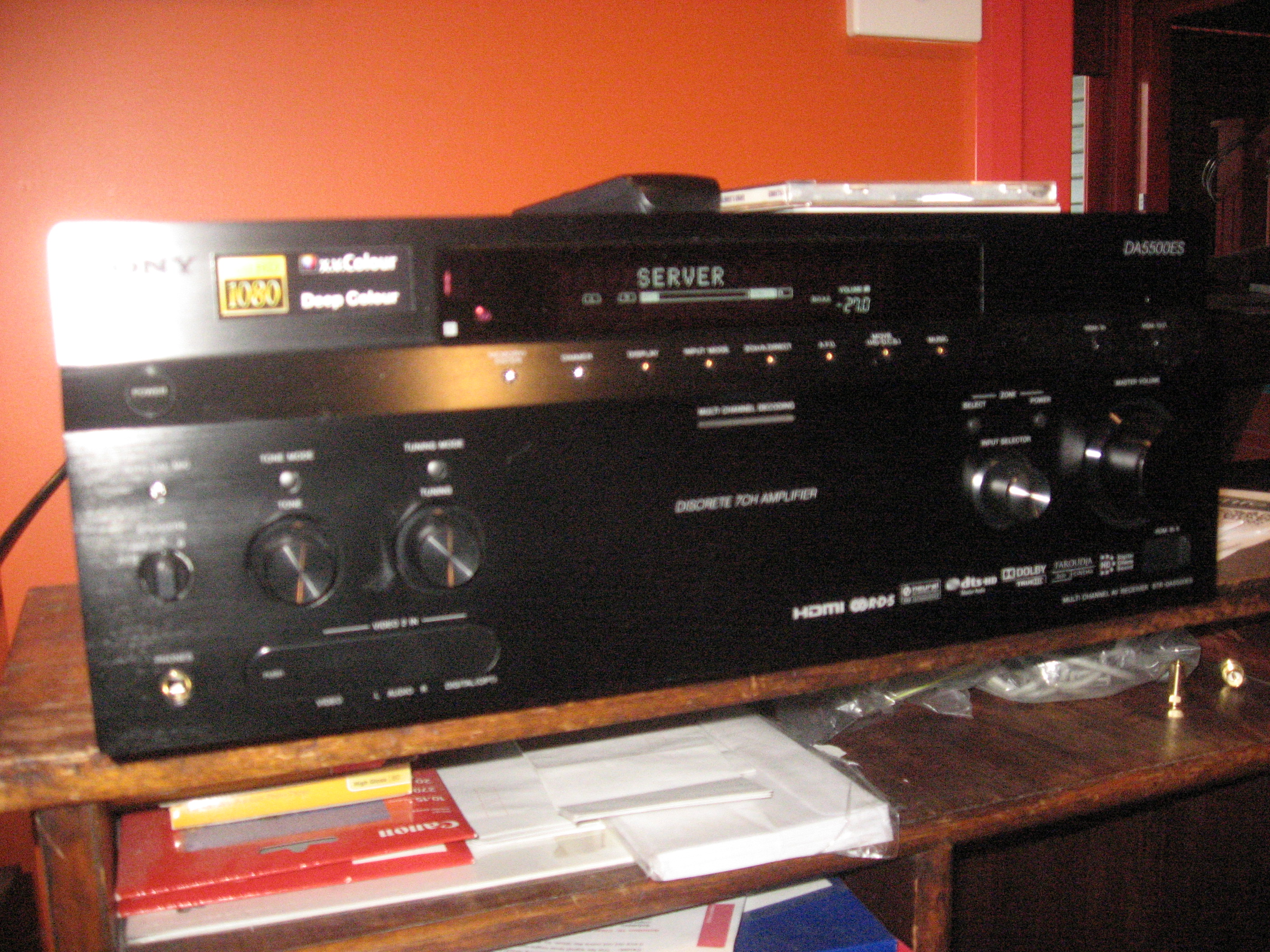
[2]
http://homenetworking01.info/wp-content/uploads/2010/05/STR-
DA5500ES-front-with-display-on.jpg#utm_source=feed&utm
_medium=feed&utm_campaign=feed
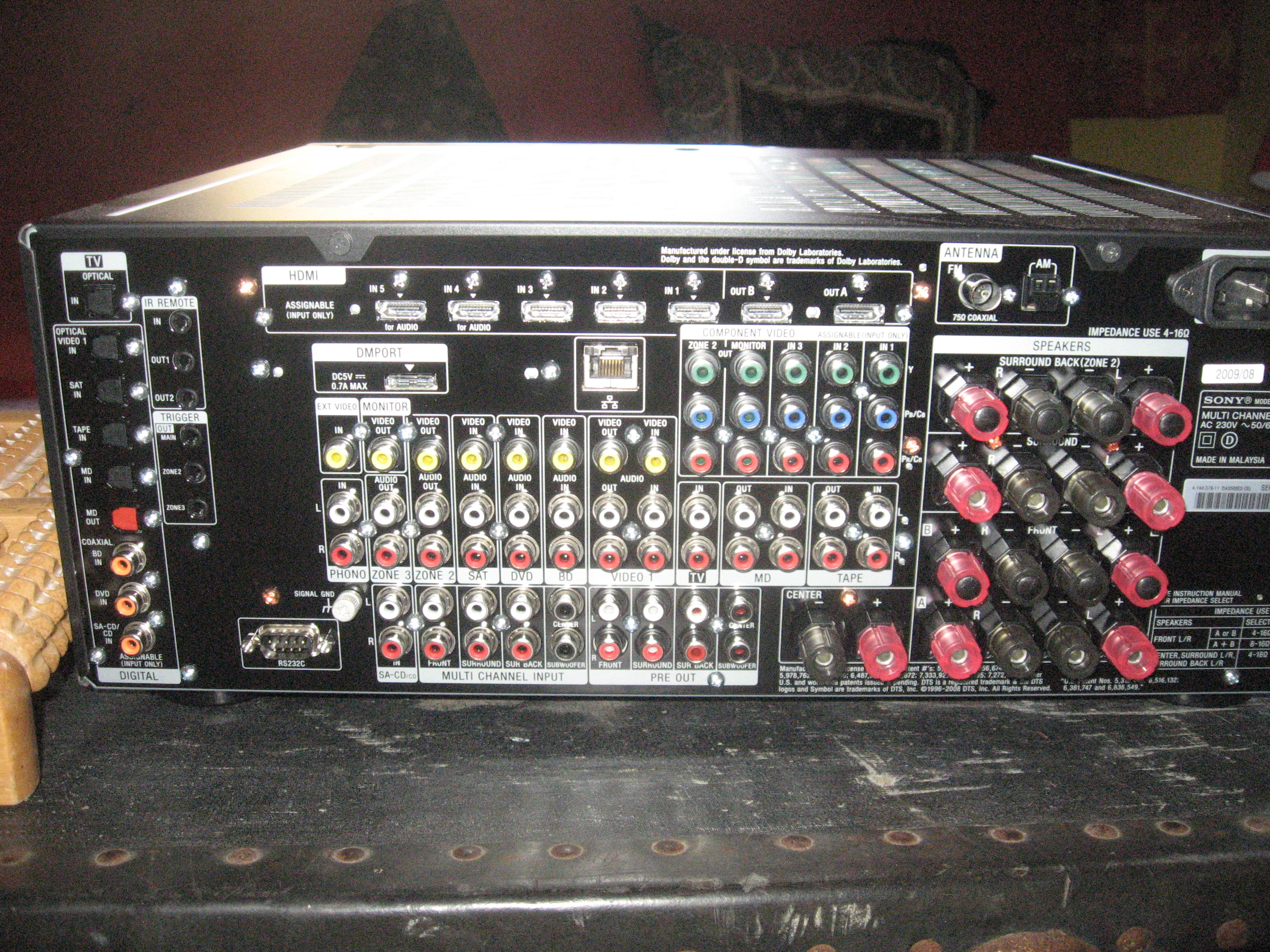
[3]
http://homenetworking01.info/wp-content/uploads/2010/05/Sony-
STR-DA5500ES-back.jpg#utm_source=feed&utm_medium=
feed&utm_campaign=feed
Debunking the hysteria and
paranoia about Google’s
Street View Wi-Fi site
surveys
15/05/2010 05:37
Introduction
Over this last few weeks, there has been hysterical media and
political activity in Europe and Australia concerning Google’s
Street View activities. This activity has become focused on the
collection of Wi-Fi network data by the Street Survey vehicles
which grab the initial street images.
The hysteria focused on identifying details about Internet use
and Wi-Fi devices that existed at individuals’ addresses and that
this data could be used to spy on individuals.
The truth
Wi-Fi site surveys are apart of Wi-Fi networking life
The Wi-Fi site survey is associated with nefarious activities like
wardriving but it is commonly practised as part of Wi-Fi network
use.
When you want to connect to your Wi-Fi wireless network with
aclient device, you will come to apoint in the device’s setup
operation where you see alist of SSIDs, then you choose the
SSID that you wish to connect to. This is an elementary form of
asite survey.
This is extended to technology enthusiasts like myself who
activate Wi-Fi network scanning functions on smartphones to see
alist of wireless networks operating in the neighbourhood that
they are in for curiosity’s sake. Here, we see the list of SSIDs and
an icon beside each SSID that indicates whether the network is
protected or not. The practice also extends to use of
“Wi-Fi-finder” devices to look for open Wi-Fi networks.
Similarly, people who are optimising wireless networks will use
software like inSSIDer[1] (which Ihave reviewed[2]) or
HeatMapper[3] for site surveys and wireless-network
optimisation. This software can also yield information about the
BSSID and operating channel for that particular SSID and more
sophisticated versions can use spectrum analysers to determine
interfering frequencies or determine the location using support
for GPS modules.
This leads me to Navizon[4] and Skyhook Wireless[5] who have
done these surveys in order to turn these beacons in to alocation
tool in asimilar manner to GPS or mobile-phone-tower-based
positioning. The most common application of this is the Apple
iPhone platform which uses this information for locating the
phone during setup, avoiding the need for users to determine
their time zone or location.
What does my Wi-Fi network yield
A normally-setup wireless access point or router will send out a
“beacon” with contains the following data:
SSID or ESSID which is the wireless network name
BSSID which is the MAC address for the access point’s
radio transceiver. This MAC address does not have any
relationship to the Ethernet MAC address or the broadband
(WAN) interface’s MAC address on your wireless router.
Information required to determine security protocol to
establish asuccessful conection
This data that is in this “beacon” is publicly available in asimilar
context to the information written on avehicle’s registration
label which would have the registration number (written on the
number plates /license plates) and the VIN (vehicle identification
number) for that vehicle.
It is also worth knowing that all access points and wireless
routers have the option to turn off SSID broadcast. Here, you
14