
User manual


competitive on the world stage. It will also benefit the outlying
properties and neighbouring villages /hamlets by exposing them
to proper broadband service rather than just horrible old dial-up
Internet.
Links
[1] http://news.bbc.co.uk/2/hi/wales/10148772.stm
Another one for the
Android-based TV platform
24/05/2010 13:50
News Article
Sony Internet TV Has An Intel Atom Processor And Runs Google
TV, Chrome, Flash 10.1 | Sony Insider[1]
From the horse’s mouth
Sony’s official Internet TV Website – Sony Style[2]
My comments
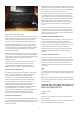
Previously, Ihad written in my blog[3] about People Of Lava
introducing an Internet-enabled TV that was based on the Google
Android Platform. This is abrand that may not be on everyone’s
lips, especially when it comes to consumer electronics.
But now Google had determined an Android-based app-driven TV
platform to go alongside their Android app-driven mobile phone
platform and described it as “Google TV”. They have pitched this
at digital TV sets and various set-top applications, primarily as an
open platform for delivering Internet-enabled interactive TV.
Sony have become the first mainstream TV manufacturer to
implement this platform, which will give it an air of legitimacy in
the consumer-electronics space. This is eve though the
interactive-TV space has been dominated by various closed or
limited platforms like the games consoles, the PVR boxes such as
TiVo, and various pay-TV platforms.
I often wonder that if Google keeps the Android platform as an
open platform, they could provide many interesting applications
and uses for many devices.
Links
[1]
http://www.sonyinsider.com/2010/05/20/sonys-upcoming-tv-will-h
ave-an-intel-atom-ce4100-processor-and-has-google-chrome-flash
-10–1/
[2] http://discover.sonystyle.com/internettv/
[3]
/2010/04/swedish-tv-manufacturers-implement-android-in-a-flatsc
reen-tv/#utm_source=feed&utm_medium=feed&utm_campaign=
feed
Someone’s listening to my
call for CD-free printer setup
24/05/2010 09:07
I have mentioned in this blog[1] about the need for printer
manufacturers to move away from supplying CDs or USB
memory keys full of printer drivers with their printers. What
Iwas wanting to see was the driver software being held in
separate memory on the printer that is accessible as aUSB
Mass-Storage Device for direct-attached printers or through
common network protocols for network printers.
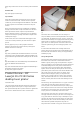
At last, Hewlett-Packard has answered this need as far as
Windows users are concerned with the LaserJet Pro 1560 and
1600 Series monochrome laser printers, one of which will be
reviewed in this blog. The review printer which is the LaserJet
Pro 1560 – alow-end direct-attached printer, was set up without
me needing to find aCD in thebox.
The setup experience went likethis:
1. Once the printer was connected to my computer’s USB socket
and to the power, Windows 7discovered the printer and mounted
an extra drive letter for that printer.
2. Ithen visited the extra drive and ran the setup file, whereupon
the printer’s driver set was installed and Iwas offered the ability
to print the Windows TestPage.
The networked versions allowed you to log in to the printer’s IP
address from your browser, once you have printed the network
information page, in order to download the driver software.
No mess, nofuss!
No need to worry about the printer setup CD anymore!
Points of improvement
Some improvements that Iwould like to see include adriver set
for the Apple MacOS XMacintosh computers available on the
“CD-free install” memory and that the printer’s “CD-free install”
memory mounts as another disk on the Macintosh Desktop.
Another improvement would be to let Windows discover the
driver set without any user intervention once the printer is
connected to the USB port. This could then lead to true
plug-and-play printing for this class of printer.
Furthermore, Iwould like to see this function made available in
more of the consumer multifunction printers because the people
who use these printers are more likely to end up with grief
because they of driver-install issues.
The function can be augmented by allowing for driver update
procedures to include in-field refreshing of the driver set
available on the printer. This can lead to support for newer
operating platforms or improvements that are provided in the
current operating platforms.
Links
[1]
/2010/01/a-cd-less-way-of-setting-up-printers/#utm_source=feed
&utm_medium=feed&utm_campaign=feed
5