
User manual

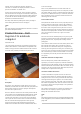

DVR going as a “failover recording setup” until that hardware
breaks down irreparably.
Additional or replacement cameras
When you “build out” your video-surveillance system with extra
cameras or replace any of the existing cameras, the newer
cameras that you deploy in this scenario should be
network-capable units. As mentioned before, you run
avideo-surveillance program on your PC to set up the recording
and viewing options.If you have enough room on your existing
system’s multiplexer for extra channels or are replacing existing
cameras, you have the option to connect these cameras to the
multiplexer because they will have video outputs as well as
network outputs. This setup will then appeal to those of us who
have plenty of mileage left on the older equipment and still want
to use that equipment to record the footage; or haven’t yet run
Ethernet wiring out to the new cameras.
Moving away from tape or proprietary DVR
Your VHS time-lapse recorder may be just at the end of its
service life and you may be thinking of where to go next.
Similarly, you may have had enough of that proprietary DVR that
cannot be expanded easily and want to look for something better.
This could be atime to network-enable your existing
video-surveillance system. Here, you could deploy
amulti-channel network video encoder and anetwork-attached
storage like aQNAP unit on your network dedicated for the video
surveillance system. Then you use video-management software
on your PC to direct the cameras to record to the NAS and to
make DVDs of footage that you need to provide.
Complete system upgrades
You may be in aposition to upgrade your video-surveillance
system, such as through new premises, renovations, newer
security requirements placed by government, insurance or
company needs; or alarge number of the components coming to
the end of their useful life. Sometimes, the government may
financially assist you in improving your system whether through
agrant, loan or tax break towards the cost of the equipment as
part of acompliance or “safer cities” program.
This upgrade may give you the break to move towards an “all-IP”
system with IP-based cameras, one or more recording devices
being network-attached storage devices, computers running
video management software; and all of them interconnected
using the business’s Cat5 Ethernet cabling.
Conclusion
Any business who has the premises protected by
avideo-surveillance system should be aware of the IP-based
video-surveillance setups. As well, they should know when to
evolve to the IP-based technology and how to do it without
unnecessarily replacing existing equipment.
Why are we using email
client applications over
Web-basedemail
22/05/2010 05:46
Articles
What draws people to Windows Live Mail and other email
applications | The Windows Blog[1]
My comments
Previous use of desktop email clients until Web-based
email matured
Ever since the start of the Internet, we mainly used desktop
email clients which were often part of alarger electronic-mail
infrastructure like CompuServe or AOL or acorporate messaging
platform. Some of us who used terminal-based email like email
applications running on corporate or university mainframes; or
through viewdata services like MiniTel may have had the
opportunity to send Internet-based email by adding aspecial
Internet-mail qualifier to the address.
These desktop email clients had become more sophisticated by
inheriting personal organisation or word-processing abilities. It
also included HTML-based email as well as easy-to-manage
attachments.
The Web-based email services started to appear in 1997 with the
likes of Hotmail and allowed people who use Internet cafes to
send and receive mail from any computer without configuring
email clients. These email services were considered as an
auxiliary or temporary email service for people with their own
computers as well as primary email services for nomadic people.
Mature Web-based email services
Over the years, GMail, Hotmail and Yahoo Mail improved their
Web-based email services that they became asimilar standard to
adesktop-client experience and some computer users had moved
towards these services rather than setting up aPOP3 inbox and
adesktop email client. Similarly, most Internet service providers
and companies are also running Web-based email front-ends for
their email servers.
It has also been intensified because of Internet service providers
locking down their SMTP outbound-mail services in order to
make it harder to send spam and this has put various limitations
on travellers and others who move between locations with their
own laptop computers. It also became easier for
multiple-computer users to see what was read on each terminal
synchronously – if it was read on one PC, it was treated as read
on the other PC. This was more so as the home network became
more popular as people signed up to affordable always-on
broadband Internet.
Return of client-basedemail
We are now seeing the return of client-based email due to
varying factors.
One is that Web-based email services are increasingly becoming
oversubscribed and their front-end servers are taking alonger
time to respond to user-generated activity. It has led to the
service providers scrambling to increase bandwidth and server
power to service an increased userbase.
8