
User manual


Similarly, there is an increasing number of free desktop email
clients that come with either the operating system or available
for download, whether as part of aWeb services platform or
asidekick application to one of the many Web browsers. These
clients are becoming as good as either one of the current
Web-based services or as good as apremium desktop email client
of ageneration or two ago. They include functionality like
calendar /taskpad management and RSS feed-reading support
which provides for ahighly-valuable highly-affordable
personal-information-management solution.
The same email clients are being integrated in to handlheld
devices like smartphones which have Wi-Fi or
wireless-broadband support. Similarly, the size and cost of laptop
computers has reduced due to the arrival of netbooks and
ultraportable notebooks that have integrated Wi-Fi and, perhaps,
wireless broadband. These lead to the ability to check on your
email anywhere you go rather than operating alarge computer
for this purpose.
In the same context, Web-based email services now offers
SMTP/POP3 or IMAP support either as afree service or as an
add-on for asmall extra cost. ISPs are also setting up secure
portable access mechanisms to their SMTP servers, such that
users have to log in to these servers with their mailbox
credentials before they can send mail through them. This has
now made client-based email become increasing relevant for
moreusers.
Why use adesktop email client
The desktop email client provides for use of standard email
application protocols and allows the messages to be held locally
on the computer’s harddisk.
The speed and performance of the desktop email client is
consistent to that of the local computer device rather than
combination of Internet bandwidth and abusy Web-based email
server.
Similarly. the experience provided by these programs is
consistent to that provided by the local computer device and you
can even use keyboard shortcuts that are provided by the local
computer device for expediting mosttasks.
People who use portable computing devices like smartphones or
laptops “on the road” can benefit from creating emails offline
then sending them out when they choose to go online to update
the mailbox. This is also of similar benefit for rural users who are
stuck with dial-up Internet and who should be getting broadband
Internet service.
Why use abrowser-based email experience
A browser-based email experience would suit users who have to
use shared computers such as Internet cafes, public libraries or
friends’ houses. It can also be used as an adjunct to client-based
email setups for quick creation of supplementary email accounts.
What needs to happen further
A major flaw that currently exists with most client-based
personal email setups is that there isn’t support for synchronous
multi-terminal access. That is if you read an email on one
computer or other device, it is marked as read when you see your
emails on other devices.
This could be achieved by allowing people who subscribe to
personal email services like ISP-provided email to use IMAP4 or
“hosted Exchange” mail protocols as alternatives to the
POP3/SMTP protocols. These protocols are being supported by
most email clients that are currently in service. These protocols
allow for “header-only” view for skimming email lists on
low-memory devices as well as synchronous multi-terminal
access.
They, especially the IMAP4 protocol, could be provided for free
by most personal /residential ISPs and there could be an
“auto-negotiate” routine which prefers the best option available
for the user as part of email client setup.
Conclusion
Now that client-based email use is returning to common use,
ISPs and third-party email providers should consider operating
aspeedy AJAX-driven Web-based interface with “best-case”
rendering as well as aclient-based interface that works with
secure implementations of the POP3 /SMTP, IMAP4 and
“hosted-Exchange” protocols.
Links
[1]
http://windowsteamblog.com/windows_live/b/windowslive/archive
/2010/05/12/what-draws-people-to-windows-live-mail-and-other-e
mail-applications.aspx
The first of the
“netvertibles” or convertible
netbooks – apossible
challenge to the Apple iPad
perhaps
22/05/2010 05:03
News article
Acer launches 11.6-inch Aspire Timeline 1825PT netvertible –
Engadget[1]
My comments
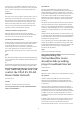
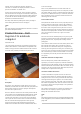
This computer is becoming one of the first netbook-class
notebook computers to have amulti-touch screen. The main
problem with these machines is that consumers will forget about
them because they are so entranced by Apple’s iPad.
If you want to make this class of netbook come up very well with
consumers, you will have to provide touch-enabled book-reading
applications for the main e-book and online-comic platforms to
work with Windows and other “freely-programmable” operating
9