
Specifications


12 Inch Lectern/Wall Mounted Touchpanel Crestron Isys™ TPS-5000L
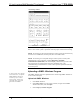
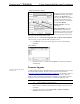
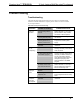
“Port Settings” Window
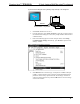
NOTE: Different control systems may require different communication settings.
Refer to each control system’s Operations Guide for proper communication settings.
NOTE: If connecting to the touchpanel through a control system, the baud rate may
need to be set to 38400 baud (Cresnet speed) for a successful transfer.
NOTE: If connecting to a touchpanel through a control system, control system
communications can be verified by selecting Diagnostics | Establish
Communications (Find Rack). This should display a window that gives the COM
port and baud rate. If communication cannot be established, refer to the
“Troubleshooting Communications” section in the respective Operations Guide for
the control system.
Uploading a SIMPL Windows Program
A control system source file has
the extension .smw. A compiled
SIMPL Windows file has the
extension .spz for a 2-Series
control system, .bin for CNX
generation, and .csz for CNX
generation with SIMPL+.
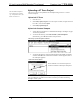
The SIMPL Windows file can be uploaded to the control using SIMPL Windows or
via the Crestron Viewport.
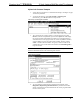
Upload via SIMPL Windows
1. Start SIMPL Windows.
2. Select File | Open to view the “Open” window, navigate to the SIMPL
Window file (.smw), and click Open.
3. Select Project | Transfer Program.
38 • 12 Inch Lectern/Wall Mount Touchpanel: Crestron Isys™ TPS-5000L Operations Guide - DOC. 5783A