
Operating Instructions
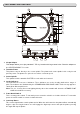
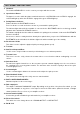
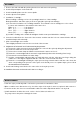
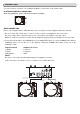

You can connect to a speaker, etc. via Bluetooth Wireless Connection or RCA audio cable.
BLUETOOTH WIRELESS CONNECTION
When using Bluetooth, refer to “Bluetooth Function” paragraph.
WIRED CONNECTION
Before connecting the unit it is advised that you also consult your current equipment instruction manual.
1. Be sure to turn off the audio device, such as a stereo system or an amplifier, before connection.
Be sure to make all the connections before you connect the power adaptor to a power outlet.
Note: To avoid noise interference, place the AC adaptor body away from your turntable as far as possible.
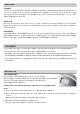
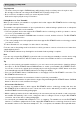
2. Connect the RCA cable to the PHONO input of your AMPLIFIER when you set the PHONO/ LINE switch to
PHONO position. You can also use a line input by setting the PHONO/ LINE switch at the rear of the
turntable to LINE.
Output terminals Amplifier (Receiver)
L (White) L Channel
R (Red) R Channel
GND (Spade) GND
NOTE:
Be sure to connect the ground terminal firmly to the amplifier or receiver.
If this connection is not made or is loose, a power source "HUM" will result.
Set th e PH ONO/LINE
switc h to LINE . “ ”
Set th e PH ONO/LINE switch
to P HONO . “ ”
CONNECTIONS