
Operating Instructions
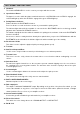
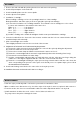
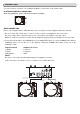
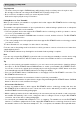

1. Turn the On/Off Switch clockwise to turn on the power, the speed indicator and the strobe-illuminator,
which is located beneath the On/Off switch, will light up.
2. Place a record on the slip mat. When playing a 45-rpm record with a large center hole, place the 45-rpm
adapter on the center spindle.
3. Set the speed to match the record.
4. Remove the stylus protector from the Headshell Stylus, release the Tonearm clamp.
5. Set the tonearm lever to the up position.
6. Press the Start/Stop Button, the turntable platter will start to rotate.
7. Move the tonearm over the desired groove.
8. Set the tonearm lever to the down position, the tonearm will descend slowly onto the record and begin
playing.
9. When play is finished, raise the tonearm lever, move the tonearm onto the Tonearm clamp.
10. Press the Start/Stop Button to stop the platter from rotating. Turn the On/Off Switch counterclockwise to
turn off the power.
SUSPEND PLAY
Set the tonearm lever to “UP” position during play, the stylus tip of the cartridge will be lifted from the record.
As long as the pitch control is in center “detent” click position, the turntable is operated at selected speed.
The speed can be increased or decreased by 10% by the pitch control.
An incorrect adjustment done on purpose can also be used to have the turntable rotate extremely slow or
fast.
The strobe dots at the edge of the turntable are used for speed monitoring.
QUICK-START
CHANGING THE SPEED