Monitor User's Manual PV520A
Manuals
Brands
CTX Manuals
Monitor
PV520A
21
22
23
24
25
26
27
28
29
30
PV520A User
’s Manual
21
•
T
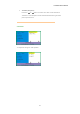
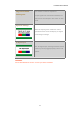
ext/Gfx (Graphics):
Press the "
" or "
" button to select VGA T
ext mode 720x400 &
720x350 or VGA Graphics mode 640x400 & 640x350 to get better
picture performance.
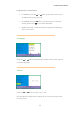
4. Position
To adjust the Image or OSD position.
1
...
...
19
20
21
22
23
...
...
31