
User Manual Part 2

CY8CKIT-042-BLE Bluetooth® Low Energy (BLE) Pioneer Kit Guide, Doc. # 001-93731 Rev. *A 160
Advanced Topics
6.7 CySmart PC Tool
The CySmart PC tool is a BLE Central host emulation tool that, along with the dongle, allows you to
connect to a BLE peripheral device and transfer data over BLE services. Also, it displays all the
packets that are involved during the connection, which can be analyzed for details.
The CySmart PC tool is installed as part of the BLE Pioneer Kit installer. To launch the software,
choose
Start > All Programs > Cypress > CySmart <version> > CySmart <version>.
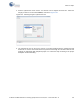
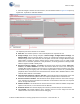
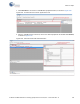
Follow these steps to connect to a BLE peripheral device using the dongle and CySmart PC tool and
to transfer data.
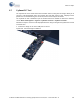
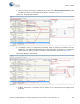
1. Connect the dongle to one of the USB ports on the PC.
Figure 6-60. Connect Dongle to USB Port