
User Manual Part 2

CY8CKIT-042-BLE Bluetooth® Low Energy (BLE) Pioneer Kit Guide, Doc. # 001-93731 Rev. *A 149
Advanced Topics
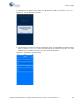
3. Configure the Pioneer Kit in service mode. To do this, while holding down the reset button (SW1
Reset), plug in the BLE Pioneer Kit to the computer using the included USB cable (USB A to
mini-B). This puts the PSoC 5LP into service mode, which is indicated by the blinking green
status LED.
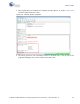
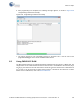
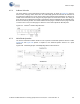
4. In the Bootloader Host tool, set the filters for the USB devices with VID:
04B4 and PID: F13B.
The
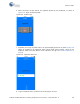
USB Human Interface Device port appears in the Ports list. Click that port to select it, as
shown in Figure 6-45.
Figure 6-45. Select USB Human Interface Device
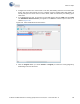
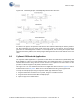
5. Click the
Program button (or choose Actions > Program) to restore the factory-program by
bootloading it onto the PSoC 5LP.