
User Manual Part 2


CY8CKIT-042-BLE Bluetooth® Low Energy (BLE) Pioneer Kit Guide, Doc. # 001-93731 Rev. *A 161
Advanced Topics
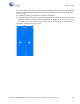
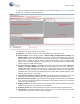
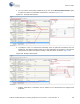
2. Start the CySmart PC tool on the PC. You will see a list of dongles connected to it. Select the
dongle you want to use and click
Connect, as shown in Figure 6-61.
Figure 6-61. Selecting Dongle in CySmart PC Tool
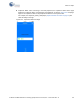
3. The CySmart PC tool can be used to connect to any BLE peripheral device, including the BLE
Pioneer kit. To connect to the BLE Pioneer kit, power the kit through the J13 USB connector and
program the appropriate BLE peripheral project to it. Follow the steps according to the project
description to start advertising.