
Specifications
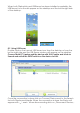


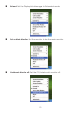
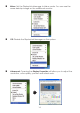


9.2 Using More DisplayLink manager
You don
’
t have to install a new driver as long as you have completed
the above installation process in advance. It will automatically dene
the ID of the new Display Link Manager and will list everything in the
Display properties or the display manager menu.
NOTE:
When connecting more DisplayLink Manager to a computer, a
system with higher CPU performance is recommended.
10. Uninstall the Device Driver
Follow the steps below to uninstall the Multi View driver.
Step 1:
Open the Control Panel:
Start → Control Panel → Add or Remove
Programs.
Step 2:
Select
DisplayLink Core Software
and click
Remove
.
15