
Specifications



7
7.3 Using USB Server
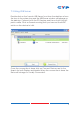
Double click on the 'Launch USB Server' icon from the desktop or from
the icon in the system tray and the USB Server window will appear on
the desktop. Connect both the PC/Laptop and the unit with a RJ-45
patch cable. Click on Search ensuring that you have set the INPUT
switch on the device to LAN.
Once the connection is done click on Connect Device next to the
Search for both Display and Media. When the connection is done the
Status will change to 'Locally Connected'.