
Specifications



11
8. USING DISPLAYLINK MANAGER
8.1 Using DisplayLink Manager
After the driver is installed, a utility (DisplayLink Manager) will
automatically appear in the system tray. The utility allows you to
quickly change the settings and resolution for DisplayLink Manager.
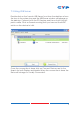
Right click on the icon will bring out the context menu.
Screen Resolution
Select the screen resolution (available
only in extended mode).NOTE: When
the display has a built in EDID the
screen will show the display's resolution,
if no EDID is present the screen has the
following resolution (see image on the
right.)