
Owner manual




E-487
A Milestone AV Technologies Brand
3100 North Detroit Street
Warsaw, Indiana 46582
P: 574.267.8101 or 800.622.3737
F: 574.267.7804 or 877.325.4832
E: info@da-lite.com
www.da-lite.com
DL–0389 6.14
© 2014 Milestone AV Technologies LLC. Printed in U.S.A.
Procedure (Continued)
CAUTION! The CTTS32 and CTTS48 is intended for use with the
maximum weight as shown. Use with products heavier than the
maximum weights indicated may result in instability causing
possible injury.
7. Typical cart operation.
a) Turn power to cart OFF.
b) Turn of computers.
c) Place computers into cart.
d) Attach USB cords to computers.
e) Turn cart on to start charging.
f) Turn cart of.
g) Connect master laptop computer to cart.
h) Turn master laptop computer on.
i) Turn cart on.
j) Open iTunes and start syncing.
k) Turn cart of after syncing.
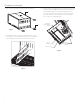
8. Two convenience outlets are included. See Figure 4.
They are energized whenever the cart is plugged into
an energized wall outlet.
5. Charging computers. Rocker Switch should be of.
See Figure 4. Turn of computers and place computers into
cart. Insert USB cord into computer’s USB port. Flip Rocker
Switch on to start charging.
6. Syncing computers. Rocker Switch should be of. See Figure 4.
Turn of tablet computers and place computers into cart. Insert
USB cord into the computer’s USB port. Connect the master
laptop computer to the cart’s USB port using the USB cord
supplied with cart. Turn on master laptop. Flip Rocker Switch
on. Open iTunes and start syncing computers. When inished
syncing, lip Rocker Switch of, disconnect the master laptop
from cart and lip Rocker Switch on to start charging.
Figure 4
Rocker Switch
Convenience
Outlets
Cord Wind
Bracket
USB Port