
User guide



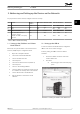



3. Consult the manual for the UBR-01 for login and
password. Danfoss recommends to change the
default login and password, since keeping the
default is a security vulnerability.
4. Open the Device menu.
5. Enter the settings shown in Illustration 3.2.
130BF308.10
Illustration 3.2 Settings in the Device Menu
6. Click Save.
7. Open the Ethernet menu.
8. Enter the settings shown in Illustration 3.3.
130BF309.10
Illustration 3.3 Settings in the Ethernet Menu
9. Click Save.
10. Open the MS/TP menu.
11. Enter the settings shown in Illustration 3.4.
130BF310.10
Illustration 3.4 Settings in the MS/TP Menu
12. Click Save.
13. Open the Activate menu.
14. Click Activate and restart to activate the settings,
see Illustration 3.5.
14a The router restarts and the new settings
become active, see Illustration 3.6.
130BF311.10
Illustration 3.5 Settings in the MS/TP Menu
Addressing and Setting up t... BACnet MS/TP Communication with MBS UBR-01 Router
6 Danfoss A/S © 05/2017 All rights reserved. MG92N102
33