
User`s guide


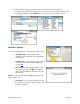

2. In the Details screen, press the Menu key or the trackball
and choose “Rate This.”
3. In the Rating screen, use the phone’s keypad to enter a
rating from 1 to 5 and then click Submit. Your rating will
be averaged with other users’ ratings and will affect the
location’s popularity points.
NOTE: If you click on the “Rate This” option for a location that you
have already rated, the original rating is displayed by default. If
you submit a modified rating, the old rating is excluded from the
average and replaced with the new rating, and the number of
reviews remains the same.
10. Maps & Traffic Tab
There are several ways in which you can view a map and traffic information:
1. From the Maps & Traffic tab. Choose a location from the drop-down menu.
You can view a map of: your Current Location, a Favorite Place, a Recent Place, an Address, an
Intersection, a City, a Business, an Airport, or an address you saved in your Address Book (Contact).
© TELENAV, INC. 2003-2009 PAGE 39 OF 57