
User`s guide
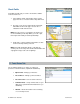


• View Current Map – View this route on a map,
complete with any traffic incidents and flow
information.
• Edit Alert – Edit details of the alert, including origin,
destination, and time and frequency of commute.
• Delete Alert – Delete the alert from the list.
• Turn Off Alert – Save the alert in the list, but turn
notification off.
• Create Copy – Create another copy of the alert
(useful for when you would like to create a similar
alert and do not want to re-type all the information).
• Create Reverse Alert – Swap your Origin and
Destination addresses.
Create New Alert
To set up a new commute alert, do the following:
1. Go to Tools/Extras >> Commute Alerts and choose
“Create New Commute Alert.”
2. In the Commute Alert screen, fill out the following
information:
• Route Name – Assign a name for the route (e.g.,
“Home to Work”). Maximum 15 characters. If you
do not assign a name, the street address of the
origin will be used as default.
• Origin – Select a location for your starting point
(default is your current location).
• Destination – Select a location for your ending
point.
• Time – Set a time to trigger the alert.
• Frequency – Select Once, Daily, Weekly (select a
specific day of the week), Mon-Fri, or Weekends.
• Notification – Check the “Email” box to send the
Commute Alert to your email address.
© TELENAV, INC. 2003-2009 PAGE 46 OF 57