
User`s guide
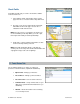


3. Click Save when you are finished.
Weather
Check the weather conditions for your current location or for another location that you select. You can also see the
extended weekly forecast.
1. Go to Tools/Extras >> Weather.
2. The weather condition for your current location is
displayed.
3. Click Change Location to view weather for another
location.
4. Click Week Forecast to see weather conditions for the
next seven days. Click on any line to view details for that
day.
© TELENAV, INC. 2003-2009 PAGE 47 OF 57