
Quick Reference Guide

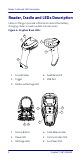


Table Of Contents
- Gryphon™ I GBT/GM4500
- Table of Contents
- END USER SOFTWARE LICENSE AGREEMENT
- About the Scanner
- Setting Up the Reader
- Reader, Cradle and LEDs Description
- Connecting the Base Station
- System and Network Layouts
- Using the GBT/GM4500 Scanner
- Using the WLC4090 Radio Base
- Replacing the Battery Pack
- Using the Gryphon™ I GBT/GM4500
- Linking the Reader
- Link Scanner as Serial Device to a Bluetooth Host
- Link Scanner as HID device to a Bluetooth host
- Power Off
- Selecting the Interface Type
- Programming
- Reading Parameters
- Operating Modes
- Technical Features
- LED and Beeper Indications
- Troubleshooting
- Ergonomic Recommendations
- Cleaning Procedure
- Support Through the Website
- Charging the Batteries
- Datalogic Limited Factory Warranty

Setting Up the Reader
Quick Reference Guide 3
Positioning the Base Station
The base station/charger may be set up in desk applica-
tion to hold the reader in three different positions, either a
horizontal or standing or vertical position, in order to pro-
vide the most comfortable use depending on the needs.
Base Station Positions and related clips to be used
Figure 1- Horizontal Position
This position is preferred, unless a different specific posi-
tioning is required, for its outmost ease of insertion as well
as the minimum effort and attention required to customer
when docking the scanner.
Figure 2- Presentation Position
This position is preferred if the scanner is to be used in
stand mode and not needed to be often removed from
base station.