
Quick Reference Guide


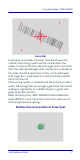


Table Of Contents
- Gryphon™ I GBT/GM4500
- Table of Contents
- END USER SOFTWARE LICENSE AGREEMENT
- About the Scanner
- Setting Up the Reader
- Reader, Cradle and LEDs Description
- Connecting the Base Station
- System and Network Layouts
- Using the GBT/GM4500 Scanner
- Using the WLC4090 Radio Base
- Replacing the Battery Pack
- Using the Gryphon™ I GBT/GM4500
- Linking the Reader
- Link Scanner as Serial Device to a Bluetooth Host
- Link Scanner as HID device to a Bluetooth host
- Power Off
- Selecting the Interface Type
- Programming
- Reading Parameters
- Operating Modes
- Technical Features
- LED and Beeper Indications
- Troubleshooting
- Ergonomic Recommendations
- Cleaning Procedure
- Support Through the Website
- Charging the Batteries
- Datalogic Limited Factory Warranty

Using the GBT/GM4500 Scanner
12 Gryphon™ I GBT/GM4500
Using the GBT/GM4500 Scanner
Scanner LEDs
Specific LEDs on the Gryphon Scanner provide information
about: good reading result (3GL), battery status and
charging status (with micro USB only). The Battery Status
information can be easily retrieved by double-tapping with
your fingers on top of the head of the scanner. The follow-
ing table explains the main colors' combinations provided
by the Battery Status LED.
Table 1Battery LED
COLOR STATUS
Blinking color
(
1s ON - 1s OFF
)
Green (
charge = 50% - 99%
)
Red (
charge less than 1%
)
NOTE
: Scanner is unus-
able until 1% is reached
Charge in Progress
through micro USB
Solid Green
(
charge = 100%
)
It goes
OFF
when Scan-
ner's unplugged
Charge Complete
through micro USB
Solid color
(
3s time-out
)
Green (
charge = 50% - 100%
)
Amber (
charge = 2% - 50%
)
Red blinking (
charge less
than 2%
)
Battery Status