
User Manual Chapter 2






2-6
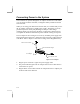
1. Turn on your notebook by pressing the power switch down and holding it
down for about two seconds. When you see activity on the power and
status indicator panels, you can release the power switch.
2. When Windows starts, you may see a Safe Recovery message. This means
that the notebook has been turned on at least once since the partial
installation of Windows, and Windows has registered the fact that the final
installation was not completed at that time. You can ignore the safe
recovery message and proceed.
3. The setup program will ask for the language and layout of your keyboard.
Select the appropriate items from the list provided and proceed.
4. Setup will then ask for your name and company name if applicable. Type
in the information and proceed.
5. Setup will then display the Windows license agreement. This document
details the terms and condition under which you are licensed to use the
Windows software. You must read this information and then click on the
“I accept the agreement” check box in order to proceed.
6. Setup will then ask you to type in the registration number on the
Certificate of Authenticity (COA). The COA is generally pasted on the
front cover of the Windows manual that is shipped with this system.
7. Setup will then begin to configure your computer. After some time, you
will be required to restart the computer.
8. When the notebook has restarted, setup will ask you to select a printer for
your system. You can select a printer at this time, or leave it till later if
you prefer.
9. Setup will then display a Time Zone window. Use the touchpad to select
the correct time zone for you location, and reset the time and date.
That completes the Windows setup program. Your notebook is now installed
with your own personal copy of Windows.
Using the Drives
You can learn a lot about your computer by using the windows My Computer
utility. If you click on this icon, it will show a graphical representation of the
media devices on your system. Depending on the configuration of your
system, your notebook will probably have the following devices: