
User manual
Table Of Contents
- DOP eServer User Manual-cover.pdf
- DELTA_IA-HMI_DOP-eServer_UM_EN_20140707
- Table of Contents
- Publication History
- Chapter 1 Introduction
- Chapter 2 Software Installation
- Chapter 3 Before using eServer
- Chapter 4 Excel Sampling Setting
- Chapter 5 Writing Data in Microsoft Excel
- Chapter 6 ODBC Sampling Setting
- Chapter 7 Writing Data in Microsoft Access 2003 at XP Operating System
- Chapter 8 Writing Data in Microsoft Access 2007 at Windows 7
- Chapter 9 Writing Data in MySQL
- Chapter 10 Writing Data in SQL Server 2005
- Chapter 11 Writing Data in Oracle
- Chapter 12 Recipe Access Setting
- Chapter 13 Recipe Access Example
- Appendix A Upload & Download via Ethernet
Revision March, 2014 11-1
Chapter 11 Writing Data in Oracle
Before creating testing example, make sure to change the upload and download option
(Options > Environment) on DOPSoft first. The default setting of upload and download is via
USB. If the users need to use Ethernet, please change the default setting by referring to
Appendix A.
11.1 Example
This example is used to help the users to understand how to use eServer to read the data of
the register addresses $3 and $6 every second, record the data in Oracle via ODBC interface,
and save the collected data into the specified folder (C:\Data).
11.1.1 Software Installation
1. Oracle Introduction
Oracle is a free and a database management system produced and marketed by Oracle
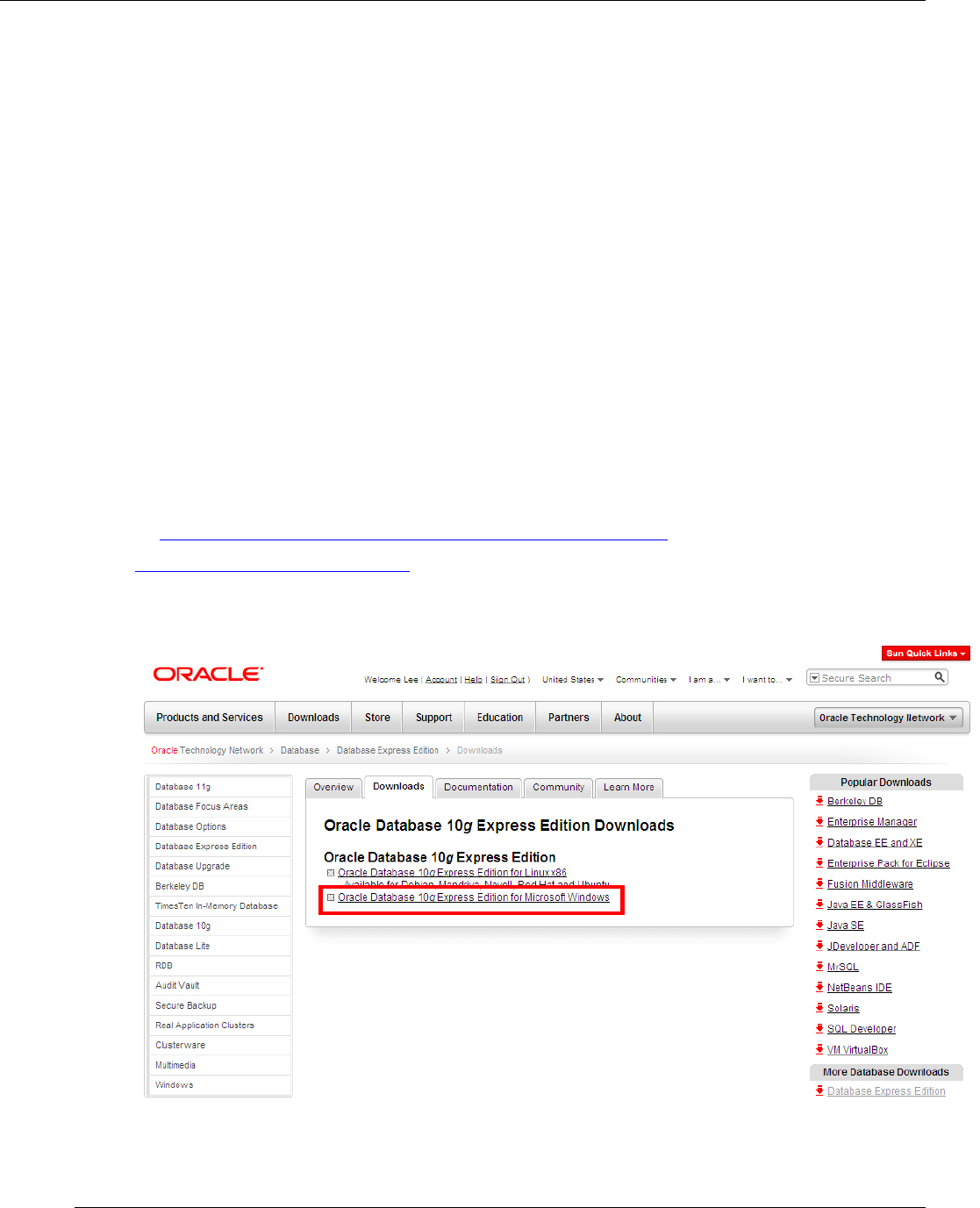
Corporation. In this example, To download it, go
to
http://www.oracle.com/technetwork/database/express-
edition/downloads/index.html.
Please be sure to select Oracle Database 10g for Microsoft Windows.