
User manual

Table Of Contents
- DOP eServer User Manual-cover.pdf
- DELTA_IA-HMI_DOP-eServer_UM_EN_20140707
- Table of Contents
- Publication History
- Chapter 1 Introduction
- Chapter 2 Software Installation
- Chapter 3 Before using eServer
- Chapter 4 Excel Sampling Setting
- Chapter 5 Writing Data in Microsoft Excel
- Chapter 6 ODBC Sampling Setting
- Chapter 7 Writing Data in Microsoft Access 2003 at XP Operating System
- Chapter 8 Writing Data in Microsoft Access 2007 at Windows 7
- Chapter 9 Writing Data in MySQL
- Chapter 10 Writing Data in SQL Server 2005
- Chapter 11 Writing Data in Oracle
- Chapter 12 Recipe Access Setting
- Chapter 13 Recipe Access Example
- Appendix A Upload & Download via Ethernet
Chapter 13 Recipe Access Example
13-16 Revision March, 2014
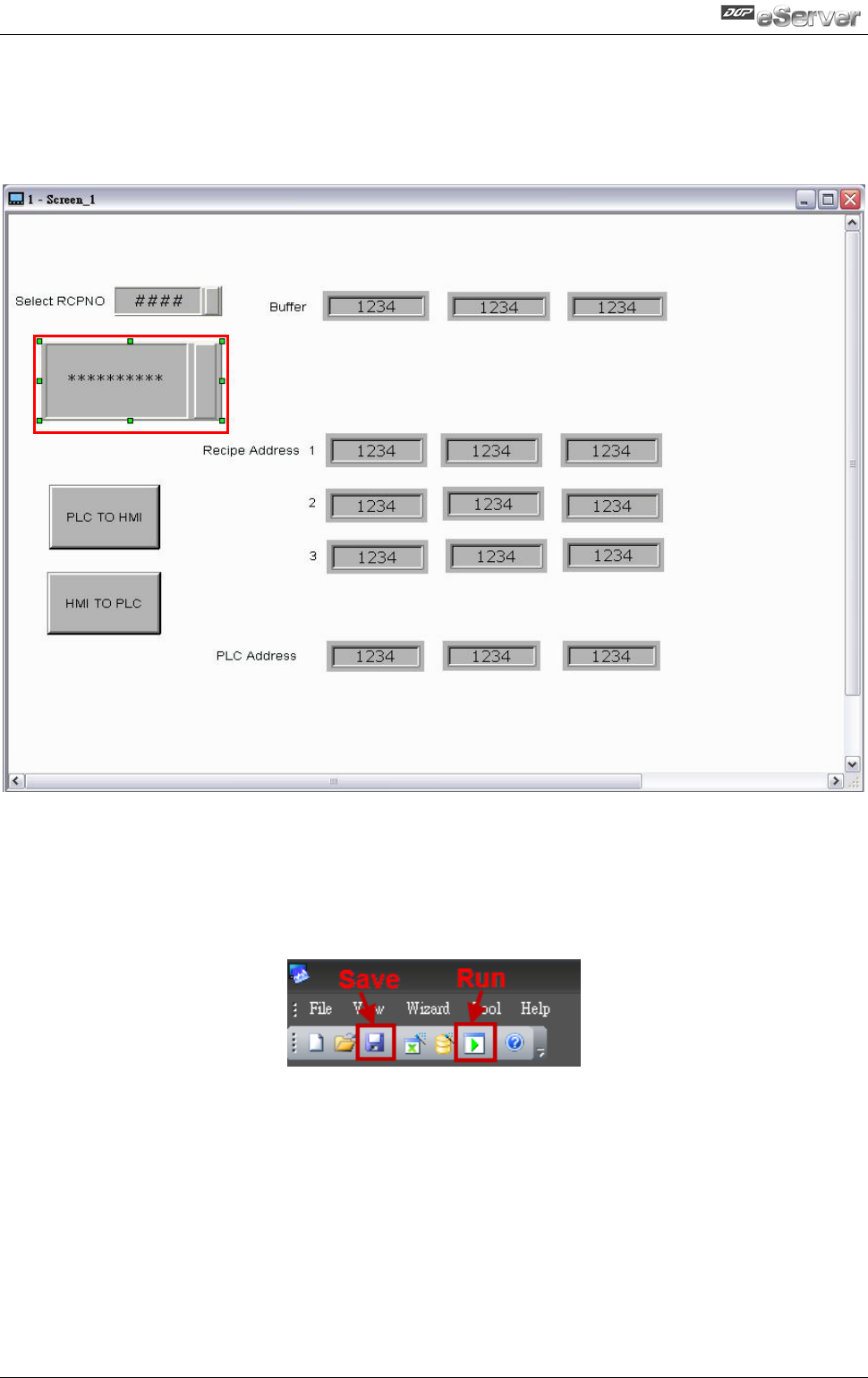
After completing all the settings and make sure that the communication is good, use the
most updated DOPSoft program editing software to open the selected .dps file which just
has been modified on eServer. Create a character input element and set its address to
$100.
Then, compile it and download the recipe data to HMI. After recipe data is downloaded to
HMI successfully, please trigger the character input element on HMI and enter TINA these
four characters at first, then return to eServer, save the file first and then run the recipe
data.
$100