
User manual
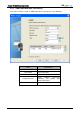
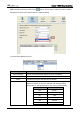
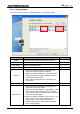
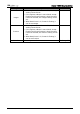
Table Of Contents
- DOP eServer User Manual-cover.pdf
- DELTA_IA-HMI_DOP-eServer_UM_EN_20140707
- Table of Contents
- Publication History
- Chapter 1 Introduction
- Chapter 2 Software Installation
- Chapter 3 Before using eServer
- Chapter 4 Excel Sampling Setting
- Chapter 5 Writing Data in Microsoft Excel
- Chapter 6 ODBC Sampling Setting
- Chapter 7 Writing Data in Microsoft Access 2003 at XP Operating System
- Chapter 8 Writing Data in Microsoft Access 2007 at Windows 7
- Chapter 9 Writing Data in MySQL
- Chapter 10 Writing Data in SQL Server 2005
- Chapter 11 Writing Data in Oracle
- Chapter 12 Recipe Access Setting
- Chapter 13 Recipe Access Example
- Appendix A Upload & Download via Ethernet
Chapter 6 ODBC Sampling Setting
6-6 Revision March, 2014
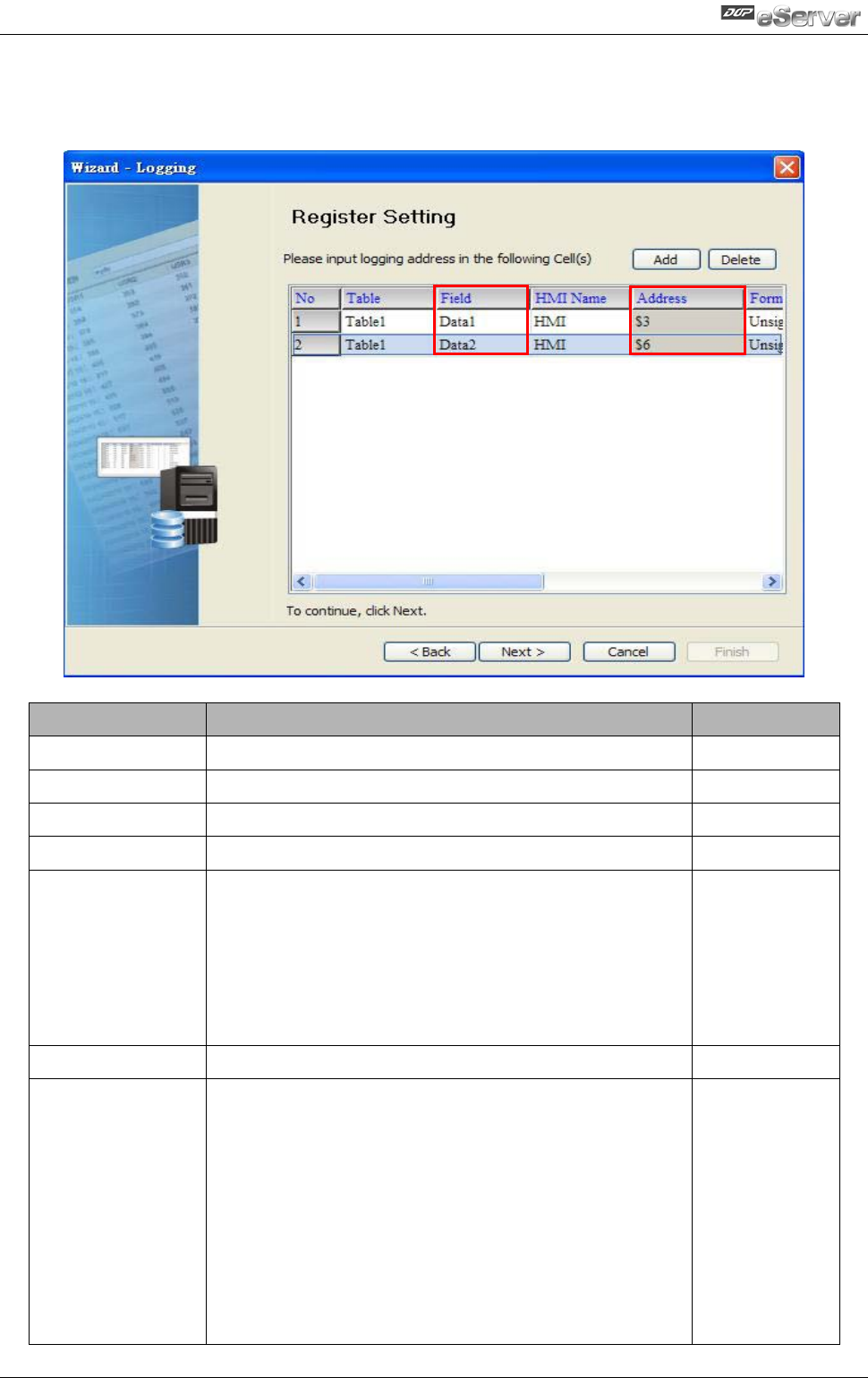
6.1.3 Register Setting
This step is used to set the register address of the sampling data.
Setting Item
Description
Remark
Table
Table which the sampling data will be written
Field
Field which the sampling data will be written
HMI Name
Name of connecting HMI
Address
Register Address
Format
1. When the register address is set to Bit, this
data format setting will be disabled.
2. When the register address is set to Word, this
data format setting will be enabled and the
available settings include:
BCD, Signed, Unsigned, Hex, Floating, Char
(Character)
Unit
Unit of the data length of the register
Unchangeable
Read Count
1. When the register address is set to Bit, this
setting will be 1(one) always.
2. When the register address is set to Word, if the
data format is set to BCD, Signed, Unsigned,
Hex, and Floating, the setting value of this field
could not exceed 2(two).
3. When the register address is set to Word, if the
data format is set to Char (Character), the
setting value of this field could be user-
defined and the max. setting value could be
set to 100(hundred).