
User manual

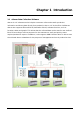
Table Of Contents
- DOP eServer User Manual-cover.pdf
- DELTA_IA-HMI_DOP-eServer_UM_EN_20140707
- Table of Contents
- Publication History
- Chapter 1 Introduction
- Chapter 2 Software Installation
- Chapter 3 Before using eServer
- Chapter 4 Excel Sampling Setting
- Chapter 5 Writing Data in Microsoft Excel
- Chapter 6 ODBC Sampling Setting
- Chapter 7 Writing Data in Microsoft Access 2003 at XP Operating System
- Chapter 8 Writing Data in Microsoft Access 2007 at Windows 7
- Chapter 9 Writing Data in MySQL
- Chapter 10 Writing Data in SQL Server 2005
- Chapter 11 Writing Data in Oracle
- Chapter 12 Recipe Access Setting
- Chapter 13 Recipe Access Example
- Appendix A Upload & Download via Ethernet
Revision March, 2014 1-1
Chapter 1 Introduction
1.1 eServer Data Collection Software
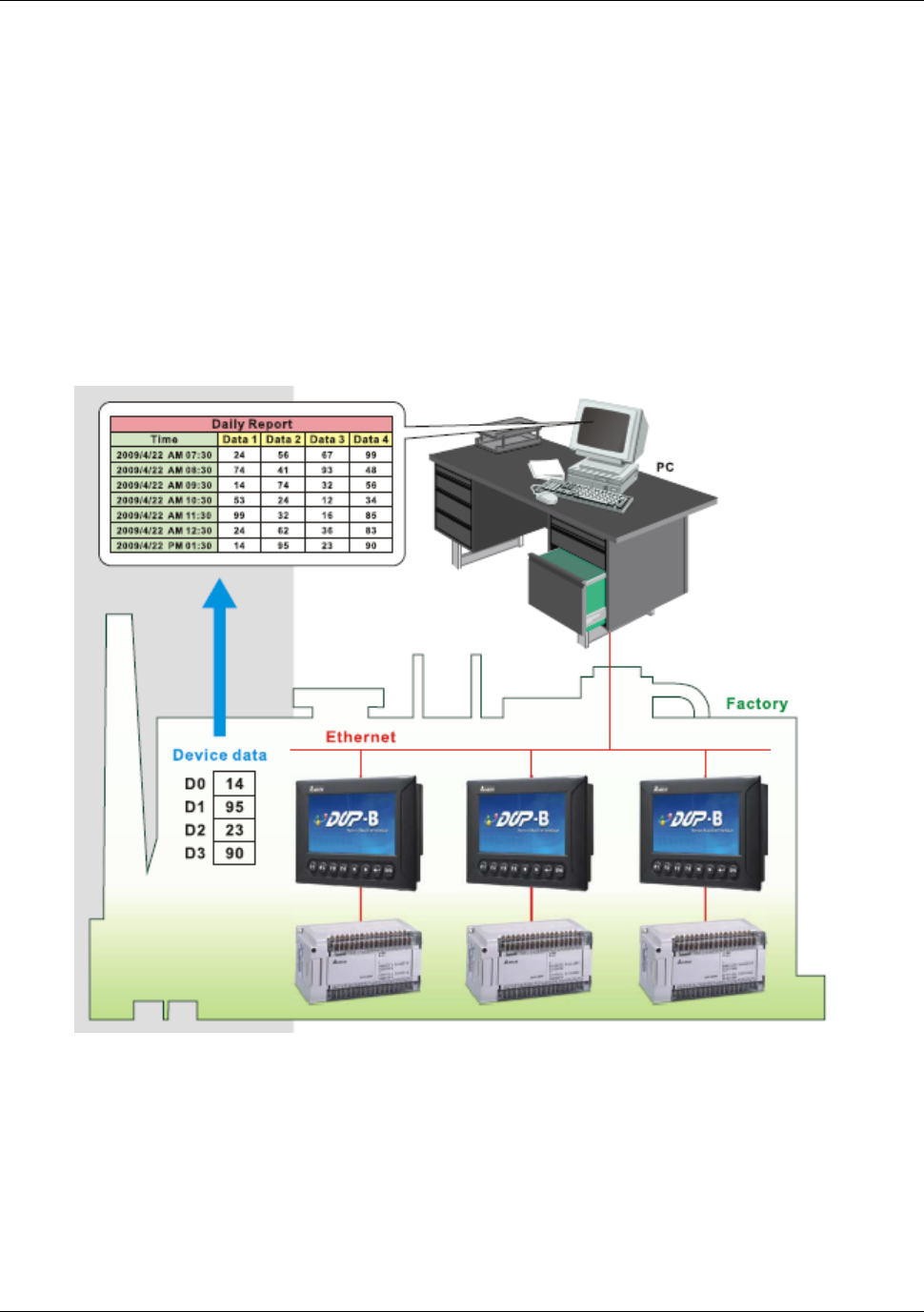
eServer is a PC software used to help the customers collect and transfer production
information and history data directly from production site to a PC in the office via Ethernet.
eServer also supports Microsoft Excel (hereinafter “Excel”) software functions, such as
formulas, tables and graphs. This allows that the collected data can be saved in user-defined
Excel file according to various purposes for the customers to easily and quickly create
required production reports. In addition, it also supports ODBC interface which is able to save
the collected data to a database for the purpose of management and use in production sites.