
Network Device Product Manual
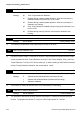


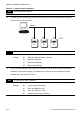
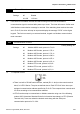
Table Of Contents
- Preface
- Table of Contents
- Chapter 1 Introduction
- Chapter 2 Installation and Wiring
- Chapter 3 Start Up
- Chapter 4 Digital Keypad Operation
- Chapter 5 Parameters
- 5.1 Summary of Parameter Settings
- Group 0 User Parameters
- Group 1 Basic Parameters
- Group 2 Operation Method Parameters
- Group 3 Output Function Parameters
- Group 4 Input Function Parameters
- Group 5 Multi-Step Speed and PLC Parameters
- Group 6 Protection Parameters
- Group 7 Motor Parameters
- Group 8 Special Parameters
- Group 9 Communication Parameters
- Group A PID Parameters
- 5.2 Parameter Settings for Applications
- 5.3 Description of Parameter Settings
- Group 0: User Parameters
- Group 1: Basic Parameters
- Group 2: Operation Method Parameters
- Group 3: Output Function Parameters
- Group 4: Input Function Parameters
- Group 5: Multi-step Speeds and PLC (Process Logic Control) Parameters
- Group 6: Protection Parameters
- Group 7: Motor Parameters
- Group 8: Special Parameters
- Group 9: Communication Parameters
- Group A: PID Control
- 5.1 Summary of Parameter Settings
- Chapter 6 Fault Code Information
- Chapter 7 Troubleshooting
- 7.1 Over Current (OC)
- 7.2 Ground Fault
- 7.3 Over Voltage (OV)
- 7.4 Low Voltage (Lv)
- 7.5 Over Heat (OH)
- 7.6 Overload
- 7.7 Keypad Display is Abnormal
- 7.8 Phase Loss (PHL)
- 7.9 Motor cannot Run
- 7.10 Motor Speed cannot be Changed
- 7.11 Motor Stalls during Acceleration
- 7.12 The Motor does not Run as Expected
- 7.13 Electromagnetic/Induction Noise
- 7.14 Environmental Condition
- 7.15 Affecting Other Machines
- Chapter 8 Maintenance and Inspections
- Appendix A Specifications
- Appendix B Accessories
- Appendix C How to Select the Right AC Motor Drive
Chapter 5 Parameters|VFD-S Series
5-62 Revision August 2008, SE09, SW V2.61
Group 9: Communication Parameters
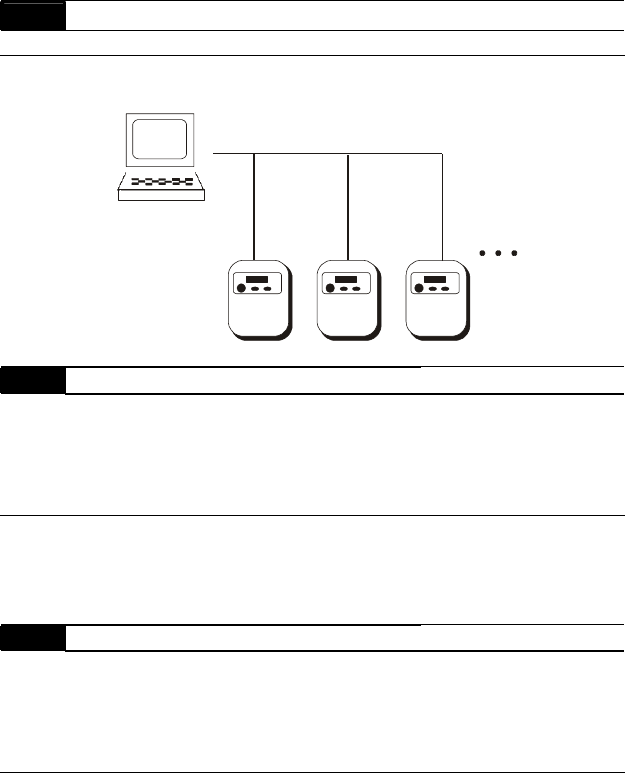
9-00 Communication Address
Settings d1 to d254 Factory Setting: d1
If the AC drive is controlled by RS-485 serial communication, the communication address
must be set via this parameter.
S1
Computer
S1 S1
RS485
d1
d3
d2
9-01 Transmission Speed
Factory Setting: d1
Settings d0 Baud rate 4800 bps (bits / second)
d1 Baud rate 9600 bps
d2 Baud rate 19200 bps
d3 Baud rate 38400 bps
Users can set parameters and control the operation of the AC drive via the RS-485 serial
interface of a personal computer. This parameter is used to set the transmission speed
between the computer and AC drive.
9-02 Transmission Fault Treatment
Factory Setting: d0
Settings d0 Warn and keep operating
d1 Warn and RAMP to stop
d2 Warn and COAST to stop
d3 No warning and keep operating