
Digital Photo Frame User Manual


13
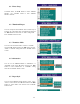
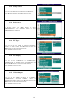
8.8 Movie Setup
In MOVIE SETUP menu, use ▲/▼ buttons to select
“MOVIE SETUP”. Use “ENTER” button to enter
“MOVIE SETUP” submenu.
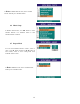
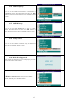
8.9 Repeat Mode
You can set the REPEAT mode in “ONE”, “OFF” or
“ALL”. Press ► button and then use ▲/▼ buttons to
select “ONE”, “OFF” or “ALL” setting mode. Press
“ENTER” button to enter.
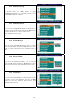
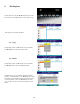
8.10 Digest Style
You can set the DIGEST STYLE mode in “2X2”, “3X3”,
“4X4” or “5X5” matrix. Press ► button and then use
▲/▼ buttons to select the matrix setting mode. Press
“ENTER” button to enter
.
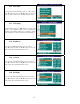
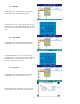
To Exit the MOVIE SETUP mode, choose “MAIN
PAGE” mode & press “ENTER” button
.