
Digital Photo Frame User Manual


18
9. File Explorer
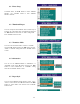
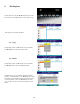
On the main menu, use the ►/◄ button to choose “File
Exp” and press “ENTER” button to enter “File Library”.
File Library menu will be displayed.
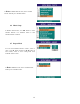
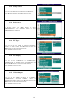
9.1 Copy
In File Library menu, use ► button to enter submenu.
Use ▲/▼buttons to select the COPY mode.
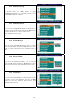
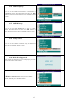
9.2 Delete
In File Library menu, use ► button to enter submenu.
Use ▲/▼ buttons to select the DELETE mode
.
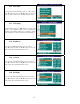
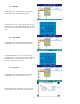
In Delete mode, you can delete the files from internal
memory or external memory. Use ▲/▼ buttons to select
the file and press “ENTER” button and it will ask you if
you want to delete or not. Use ►/◄ buttons to select
“Yes” to delete or “No” to cancel and then press “OK”
button.