
Operation Manual
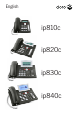



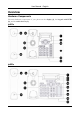

Table Of Contents
- Copyright
- Warranty
- Declaration of conformity
- Safety instructions
- Disposal of the product
- Hardware Components
- User Interfaces
- User and Administrator Mode
- Documentation
- Phone Installation
- Phone Initialization
- Registration
- Idle Screen
- Phone User Interface
- Web User Interface
- General Configuration Tasks
- Display Configuration Tasks
- Audio Configuration Tasks
- SIP Identity Configuration Tasks
- Function Key Configuration Tasks
- Maintenance Tasks
- Outgoing Calls
- Extension (SIP identity) for Outgoing Calls
- Making Calls
- Auto Completion (Number Guessing)
- Call Completion
- Call Termination
- Redial
- Call Indication
- Accepting Incoming Calls
- Call Waiting
- Denying Incoming Calls
- Denying Incoming Calls Automatically
- DND (Do Not Disturb) Mode
- Call Forwarding
- Audio Operation Modes
- Mute / Unmute
- Multiple Speaker Mode
- Hold and Resume
- Call Transfer
- Conference
- Call Recording
- Logoff All Users (Extensions/SIP Identities)
- Logon New User (Extension/SIP Identity)
- Access
- Access
- Availability
- Access
- Changing the Presence State
- Contact Presence
- Acoustical Indication
- Visual Indication
- Retrieve New Messages
- Busy Lamp Field (BLF) feature
- “Calls” List
- Call Pickup
Table of Contents
Welcome...................................................................................................................1
Copyright ..............................................................................................................1
Warranty ...............................................................................................................1
Declaration of conformity ......................................................................................1
Important User Information.....................................................................................2
Safety instructions ................................................................................................2
Disposal of the product .........................................................................................2
Overview...................................................................................................................3
Hardware Components.........................................................................................3
ip810c ........................................................................................................................ 3
ip820c ........................................................................................................................ 3
ip830c ........................................................................................................................ 4
ip840c ........................................................................................................................ 4
(1) Display ........................................................................................................................ 5
(2) Keypad and LEDs ........................................................................................................ 5
(3) Audio Devices.............................................................................................................. 9
User Interfaces ...................................................................................................10
User and Administrator Mode .............................................................................10
Documentation....................................................................................................10
Getting Started.......................................................................................................11
Phone Installation ............................................................................................... 11
Phone Initialization.............................................................................................. 12
(1) Hardware Self-Test .................................................................................................... 12
(2) TFTP Update Screen ................................................................................................. 12
(3) Automatic Phone Initialization.................................................................................... 12
(3) Manual Phone Initialization........................................................................................ 14
Registration......................................................................................................... 18
Successful Registration................................................................................................... 18
Unsuccessful Registration............................................................................................... 18
Idle Screen.......................................................................................................... 19
Default Idle Screen.......................................................................................................... 19
Customized Idle Screen .................................................................................................. 19
User Interfaces.......................................................................................................21
Phone User Interface..........................................................................................21
Menu Structure................................................................................................................ 21
Settings Menu ................................................................................................................. 24
Web User Interface............................................................................................. 25
Access ...................................................................................................................... 25
Phone Configuration Changes ........................................................................................ 26