
Operation Manual
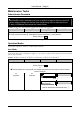
Table Of Contents
- Copyright
- Warranty
- Declaration of conformity
- Safety instructions
- Disposal of the product
- Hardware Components
- User Interfaces
- User and Administrator Mode
- Documentation
- Phone Installation
- Phone Initialization
- Registration
- Idle Screen
- Phone User Interface
- Web User Interface
- General Configuration Tasks
- Display Configuration Tasks
- Audio Configuration Tasks
- SIP Identity Configuration Tasks
- Function Key Configuration Tasks
- Maintenance Tasks
- Outgoing Calls
- Extension (SIP identity) for Outgoing Calls
- Making Calls
- Auto Completion (Number Guessing)
- Call Completion
- Call Termination
- Redial
- Call Indication
- Accepting Incoming Calls
- Call Waiting
- Denying Incoming Calls
- Denying Incoming Calls Automatically
- DND (Do Not Disturb) Mode
- Call Forwarding
- Audio Operation Modes
- Mute / Unmute
- Multiple Speaker Mode
- Hold and Resume
- Call Transfer
- Conference
- Call Recording
- Logoff All Users (Extensions/SIP Identities)
- Logon New User (Extension/SIP Identity)
- Access
- Access
- Availability
- Access
- Changing the Presence State
- Contact Presence
- Acoustical Indication
- Visual Indication
- Retrieve New Messages
- Busy Lamp Field (BLF) feature
- “Calls” List
- Call Pickup

User Manual - English
37
SIP Identity Configuration Tasks
Doro VoIP phones support multiple extensions (SIP identities). Each extension will act like a
separate phone line in a conventional telephony system. As soon as the extensions have been
registered (see page
18), calls can be placed from and received to these extensions.
ip810c ip820c ip830c ip840c
4 extensions
(SIP Identity 1…4)
12 extensions
(SIP Identity 1…12)
L Note: We recommend using the web user interface to perform the following
configuration changes as it is more convenient: Setup Identity X.
Use only the logon information provided by your VoIP PBX administrator or
Internet Telephony Service Provider (ITSP).
For further information read the instructions in our administrator manual.
http://www.doro.com/voipsupport/ip8X0c/
Adding / Editing Extensions
Action: Add a new extension “X” / Edit existing extensions “X”
ip810c ip820c ip830c ip840c
Verify the status and availability of your extensions:
Status System Information SIP Identity Status
Add / Edit the following identity information
Setup Identity “X” Login Tab Login Information
Account (SIP Username), e.g. 100, turner, smith1, etc.
Password (SIP Password)
Registrar (SIP Domain/ Server), e.g. .company.com, 192.168.0.100, etc.
Save your changes by clicking Save
L Note: This action requires a reboot of your phone (see page 28)
Result: After the phone has rebooted a new extension has been added to your phone
configuration which can be used to place or receive calls. See page
51.
Blocking Extensions
Action: Block an extension (SIP identity) temporarily
ip810c ip820c ip830c ip840c
Setup Identity X Login Tab Login Information Identity active: <OFF>
Result: The chosen extension (SIP identity) is blocked for both outgoing and incoming calls.
All configuration settings are kept unchanged.