
Operation Manual
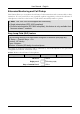
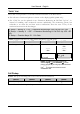
Table Of Contents
- Copyright
- Warranty
- Declaration of conformity
- Safety instructions
- Disposal of the product
- Hardware Components
- User Interfaces
- User and Administrator Mode
- Documentation
- Phone Installation
- Phone Initialization
- Registration
- Idle Screen
- Phone User Interface
- Web User Interface
- General Configuration Tasks
- Display Configuration Tasks
- Audio Configuration Tasks
- SIP Identity Configuration Tasks
- Function Key Configuration Tasks
- Maintenance Tasks
- Outgoing Calls
- Extension (SIP identity) for Outgoing Calls
- Making Calls
- Auto Completion (Number Guessing)
- Call Completion
- Call Termination
- Redial
- Call Indication
- Accepting Incoming Calls
- Call Waiting
- Denying Incoming Calls
- Denying Incoming Calls Automatically
- DND (Do Not Disturb) Mode
- Call Forwarding
- Audio Operation Modes
- Mute / Unmute
- Multiple Speaker Mode
- Hold and Resume
- Call Transfer
- Conference
- Call Recording
- Logoff All Users (Extensions/SIP Identities)
- Logon New User (Extension/SIP Identity)
- Access
- Access
- Availability
- Access
- Changing the Presence State
- Contact Presence
- Acoustical Indication
- Visual Indication
- Retrieve New Messages
- Busy Lamp Field (BLF) feature
- “Calls” List
- Call Pickup

User Manual - English
83
Voice Mailbox
Your voice mailbox messages, which are usually stored on a media server of your local or
hosted VoIP telephony system, can be accessed from your phone.
L Note: Your VoIP telephony system must support this functionality.
New voice messages can be indicated both acoustically and visually as described below.
Acoustical Indication
A “Message Waiting Indication (MWI)” notification (tone sequence) can be played when a new
message arrives. The “MWI Dial Tone” is a stuttering tone which can be played when a new
call is started.
Action: Activate acoustical indication when a MWI arrives
ip810c ip820c ip830c ip840c
Setup Preferences General Information MWI Notification:
<Silent>
<Beep>
<Reminder>
MWI Notification is turned off
Beep tone is played once
Beep tone is played repeatedly
Setup Preferences General Information MWI Dial Tone:
<Normal>
<Stutter>
MWI Dial Tone is turned off
Stuttering Dial Tone is played
or
Enter the settings menu (see page 24) and
navigate through the menu (see page
21) until the following screen is displayed:
2 MWI Notification
2 MWI Notification
Press
—— MWI Notification —
Silent
MWI Notification
Silent
Change the MWI Notification by pressing or
Not supported
Press
to save or press
to abort.
Result: The MWI configuration has been changed.