
Operation Manual






<
Pulsports T-101/T-201
Countdown timer mode
1. Press ST/SP to start/stop countdown timer.
2. There will be a 10 seconds beep when the function is completed,
and OVEr will display on the LCD.
3. Stop beep and reload pre-set data by pressing any key.
4. Reload pre-set date at any time by pressing T.MODE 2 seconds.
5. Maximum range for countdown timer is 99H59M59S.
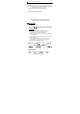
6. Countdown timer setting:
a). Press T.MODE to change to “TMR” mode.
b). Press SET 2 seconds to enter countdown timer setting mode.
c). Press T.MODE or ST/SP to set timer On or Off.
d). Refer the Data Setting Processes
to adjust the Timer data.
Alarm mode
1. Press ST/SP to change alarm sets (1 to 3).
2. The “ ” symbol will display after alarm setup.
3. The alarm is a 30 seconds beep, the “ ” symbol will blink.
4. Stop the beep by pressing any key.
5. Take note of the time mode you have selected 12H or 24H.
6. Alarm setting:
a). Press T.MODE to change to “ALM” mode.
b). Press SET 2 seconds to enter alarm setting mode.
c). Press T.MODE or ST/SP to select setting alarm.
d). Refer the Data Setting Processes
to adjust the Alarm data.
e). Press T. MODE or ST/SP to set ALARM ON/OFF.
f). Repeat steps c). to step e). to set the other alarm data.
E-8