Manual
Manuals
Brands
EDIMAX Technology Manuals
Computers
Dual-Band Wireless-AC1200 Gigabit Router
101
102
103
104
105
106
107
108
109
110
106
IV
‐
1
‐
2
‐
3.
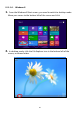
Windows
7
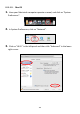
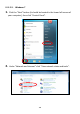
1.
Click
the
“Start”
button
(it
should
be
located
in
the
lower
‐
left
corner
of
your
computer),
then
click
“Control
Panel”.
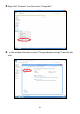
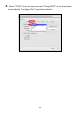
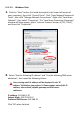
2.
Under
“Network
and
Internet”
click
“View
network
status
and
tasks”.
1
...
...
108
109
110
111
112
...
...
145