
Nanao User's ManualColor LCD Monitor FlexScan L675

28 4. ADJUSTMENT
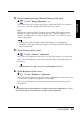
2. Smooth the blurred texts of the enlarged screen.
ÆÆ
ÆÆ
Æ Use the “Smoothing” adjustment.
Select the suitable level from 1 ~ 5 (Soft ~ Sharp).
Select “Smoothing” in the screen menu and adjust by using the right and left
buttons.
•“Smoothing” is disabled when the screen is displayed in the following resolution.
* 1280 x 1024
* The image size is doubled both in horizontally and vertically (i.e. 1280 x 960
enlarged from 640 x 480) to provide clear focus which does not require this
function.
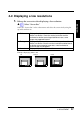
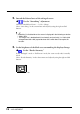
3. Set the brightness of the black area surrounding the displayed image.
ÆÆ
ÆÆ
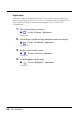
Æ Set the “Border Intensity”
In the “Enlarged” mode or “Full Screen” mode, the outer area (border) is usually
black.
Select “Border Intensity” in the others menu and adjust by using the right and left
buttons.
Border