
User`s manual


2
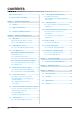
CONTENTS
CONTENTS
Notice for this monitor .............................................. 1
To use the monitor comfortably ............................... 1
Chapter 1 Features and Overview ..................... 3
1-1 Features ............................................................ 3
1-2 Buttons and Indicators ....................................
3
1-3 Functions and Basic Operation ......................
4
Chapter 2 Settings and Adjustments ................ 6
2-1 Utility Disk ........................................................ 6
● Disk contents and software overview ................. 6
● To use ScreenManager Pro for LCD .................. 6
2-2 Display Mode Selection ...................................
6
● To choose Dual Display [Display Setup] ............. 6
2-3 Color Adjustment .............................................
7
Simple Adjustment [FineContrast Mode] ............ 7
● FineContrast mode ............................................. 7
● To select FineContrast mode .............................. 7
● To update color setting of FineContrast mode .... 7
Advanced Adjustments [Adjustment Menu] ....... 8
●
To select an appropriate mode for images .........
8
● To set/adjust color .............................................. 9
2-4 Off Timer/Power Saving Settings .................
10
● To set monitor power-off time [Off Timer] ......... 10
● To set monitor power-saving [DVI DMPM] ....... 10
2-5 Screen Size Selection .....................................
11
● To change screen size [Screen Size] ................11
● To adjust brightness of non-display area
[Border Intensity] ...............................................11
● To modify blurred characters/lines
[Smoothing] .......................................................11
2-6 Power Indicator/EIZO Logo Display Settings 1
2
● To turn off the Power indicator while a screen is
displayed [Power Indicator] .............................. 12
● To display EIZO logo
[EIZO Logo Appearing Function] ...................... 12
2-7
Locking Buttons ............................................ 12
● To lock operation [Adjustment Lock] ................. 12
2-8 Setting Adjustment Menu Display ................ 13
● To update menu settings
[Menu Size/Menu Position/Menu Off Timer/
Translucent] ...................................................... 13
2-9 Setting Orientation ........................................
14
● To set the orientation of the Adjustment menu
[Orientation] ...................................................... 14
2-10 Viewing Information/Setting Language .......
14
● To check settings, usage time, etc.
[Information] ..................................................... 14
● To set a language to be displayed
[Language] ....................................................... 14
2-11 Beeper Setting ...............................................
15
● To set the beeper [Beep] .................................. 15
2-12 Selecting Input Signal ..................................
15
● To select input signal [Input Signal] .................. 15
2-13 Resumption of Default Setting .....................
16
● To reset color adjustment [Reset] ..................... 16
● To reset all settings [Reset] .............................. 16
Chapter 3 Connecting Cables .......................... 17
3-1 Connecting Peripheral USB Devices ........... 17
Chapter 4 Troubleshooting ............................... 18
Chapter 5 Reference .........................................
20
5-1 Attaching an Arm ........................................... 20
5-2 Cleaning ..........................................................
20
5-3 Specications ................................................ 21
5-4 Glossary .........................................................
24