
User guide
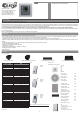


Ceiling Speakers
LARA
- 2 -
Description of installation:
Install the bottom part of the LARA player into the box KU, we recommend a box that enables mounting devices with greater depth.
Connect the speaker cables into the terminals OUT L +/- OUT R +/-. You can connect the input to an external amplier into the terminals
LINE OUT L, LINE OUT R, GND. Snap the Ethernet cable into the RJ45 connector. Secure the device using the installation box screws. Snap the
upper part of the player into the design frame LOGUS 90. Snap the upper part of the player with the frame to the lower part of the player.
Connection of these two parts must be performed with care to avoid damaging the connectors. Connect the other end of the Ethernet
cable to the POE switch or via the POE adapter to the Wi-Fi router, switch. After providing power, the display shows the system information,
then after around ve seconds the main display of the player.
When installing the speakers, use quality
audio cables with minimum diameter 0.5
mm, with maximum length of 30 m. It is
best to have the same cable length for the
right and left channels.
left speaker right speaker
External amplier
Output of speakers, audio cables
Speaker output (W)
2x 4 ohm 2x 20 W
2x 8 ohm 2x 10 W
2x 16 ohm 2x 5 W
2x 32 ohm 2x 2,5 W
Requirements for installation environment:
The product cannot be placed where it is exposed to moisture or excessive heat.
- Place the product at a spot where it can be connected to the Ethernet network. The Ethernet cable with Poe supply should have a short
a distance as possible between the player and Poe source due to voltage drop occurring as the distance grows. Also use quality cables and
connectors of a renowned brand for installation.
- Never install the player without its installation box, and it is prohibited to mount it directly into the wall, e.g. into drywall partitions,
where the device chassis would be directly wrapped in insulation material.
- Distributing individual elements of the installation must be dened prior to actual installation, prior to interference (cutting) into walls
or installation of boxes.
PoE (Power over Ethernet) is fed along a data network cable, without the need to provide power to the machine by another separate cable.
IR controller
Hardware installation:
LARA
Connect LARA and switch
LARA
LAN
WiFi router with PoE
LARA
Speaker in design
LOGUS
90
21581
Connect speakers to LARA
Speaker
(8, 16, 32 Ω)
Setting of LARA through LARA congurator
Notebook / PC
Exter-
nal
music
source
Installation Box