
Specifications






Page2of8Pages QSGAddv1.0 ©2011StreamTVNetworks,Inc.
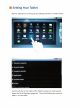
7. Ifyourrouterisonandiscompatiblewiththetablet,youwillseethenameofyournetworkator
nearthetopofthelist.Ifthenetworkispasswordprotected,youwillseesmallprintunderthe
nameofyournetworkthatsays“SecuredwithWEP”or
“SecuredwithWPA/WPA2PSK”orother
similarlanguagedependingonthesecurityformatoftheserviceprovider.
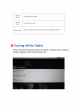
8. TapthenameofyourWi‐Finetwork.Apopupmenuwillshowthetype(ifany),thesignalstrength,
andanentryfieldforthepasswordifrequired.
9. Tapthe
passworddatafieldtoactivatethekeyboardandtypeinthepasswordforyourWi‐Fi
network.ThekeyboardhasAlphaandNumericlayoutsthatcanbeswitchedfromonetotheother.
Ifyouaretypinglettersandneedtoswitch tonumbers,tapthe“?123”keyatthebottom
leftand
thelayoutwillswitchtonumbers.Ifyouneedtoswitchbacktoletters,tapthebottomleftbutton
whichnowsays“ABC”andthelayoutwillswitchtoletters.UsetheSHIFTkeyforcapitalletters.
Whenyouaredoneenteringyourpassword,tapthesmallgray
buttonthatsaysDONEatthetop
right.
10. Backatthepreviouspopupmenu,yourpasswordwillnowshowasaseriesofdots.Ifyouwantto
seethepasswordyouhavetypedin,tapthesmallboxbelowthatsays“Showpassword”andthe
dotswillchangeto
thelettersandnumbersofyourpassword.Ifthepasswordiscorrect,tapthe
bottomleftbuttonCONNECT.Ifthepasswordwasenteredincorrectly,tapthepassworddatafield
againandmakethenecessarycorrection.
11. AfterpressingCONNECT,thetabletwillobtaintheIPAddressandmaketheconnection.
12. Toconfirmyourconnection,youwillseethesmallprintunderthenameofyournetworknowsays
“Connected”.Ifyouscrolltothetop,youwillalsoseethatthetoplinelabeledWI‐FIhassmallprint
underneaththatsays“Connectedto[yournetwork]”.
13. Asapractical
testoftheWi‐Ficonnection,taptheHOME smartkey ontheblackbezel,thentap
the4thkeyfromthebottomoftheon‐screenmenuattherighttolaunchthewebbrowser.If
yousuccessfullyreachtheGooglehomepage(orotherwebpage)youhaveagoodconnection.If
yougetamessagethatsays“Webpage
notavailable”youdonothaveaWi‐Ficonnection.Check
yourrouterandrepeatthestepsabove.
SETTINGUPEMAIL:
Yourtablethasabuiltinmailprogramthatcanallowyoutocheckoneormoreemailaccounts.Priorto
settinguptheemailaccountsinthetablet,youmustknowthefollowinginformation:
¾ Youremailaccountlogonusername(ifdifferentthanyouremailaddress)
¾ Youremailaccountlogonpassword
¾ Thetypeofincomingmailserver(POP3,IMAPorExchange)*
¾ Thenameoftheincomingmailserver(i.e.incoming.verizon.netorpop.att.yahoo.com)*
¾ TheoutgoingSMTPserver(i.e.outgoing.verizon.netorsmtp.att.yahoo.com)*
¾ SSLencryption/portnumbersetting(ifapplicable)*
Yourinternetormailserviceprovidercangiveyouinformationforallitemsmarkedwithan(*).
Onceyouhavealltheabove‐listedinformation,followthesesimplesteps.
1. TaptheHOMEsmartkey
ontheblackbezel,thentapthebottomkeyoftheon‐screenmenuat
therighttolaunchtheemailprogram.
2. Onsetup,2datafieldswillappearfor“Emailaddress”and“Password”.Tapthetopfieldthatsays
“Emailaddress”toactivatethekeyboard.
3. Enteryouremail
addressandtapthebuttonnearthetoprightthatsays“Next”.
4. Youwillbemovedautomaticallytothepasswordentryfield.Typeinyouremaillogonpassword,
thentapthebuttonnearthetoprightthatsays“Done”.
5. Youwillseeyouremailaddressinthetop
fieldandaseriesofdotsinthepasswordfield.Tapthe
buttonatthebottomleftthatsays“Manualsetup”.
6. Choosethetypeofincomingmailserveryourprovideruses(POP3,IMAPorExchange).