
User manual





A7+InternetTablet–UserManualv1.5 Page8
3.3 Smart Keys
The Smart Keys are located on the black bezel, just to the right side of
the front Tablet screen.
There are 3 Smart Keys as below:
Icons Description
Back: Tap to go back to the previous screen or
web page (if browsing the internet)
Home: Tap to go back to the Main Desktop Page (3)
Menu: Tap to bring up the additional menu options
(varies from application to application)
3.4 Smart Menu
The Smart Menu is located at the right edge of the Tablet Screen and
consists of 5 quick keys that link to the most often-used features:
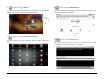
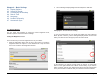
1. Tap this to open the Music Player.
This versatile player organizes music by Artists, Albums, Songs,
Playlists, and Now Playing (see Chapter 11 for details).
1
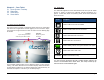
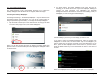
Smart Keys
Tap to access
additional menus,
go back to a
previous screen,
or to escape to
the Home Screen
any time
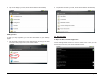
Smart Menu
Tap to access
The most often-used
Categories – music
Player, gallery,
Main apps listing,
Web browser
And email