
User manual





A7+InternetTablet–UserManualv1.5 Page9
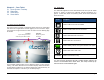
2. Tap this to open the Gallery.
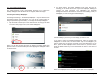
You can watch videos, browse pictures or take photos by pressing the
camera icon on the top right corner as shown below.
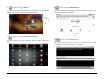
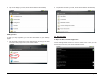
3. Tap this to display the Master List of Apps.
You can browse the list and choose the app you need by tapping the
icon.
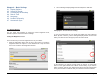
4.TapthistoopentheWebBrowser.
You can browse the web by typing in the web address at the top of the
screen (see Chapter 6 for details).
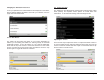
5. Tap this to open the Email utility.
Set up your email when you first log in by following a few simple
on-screen instructions (see Chapter 11 for details)..