
User manual





A7+InternetTablet–UserManualv1.5 Page15
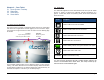
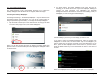
2. Tap on the widget you want, and it will be added to the desktop.
Adding Folders
To help you stay organized, you can also add Folders to your desktop
pages:
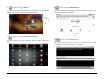
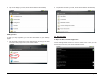
1. Tap and hold a blank spot on the Home Screen to bring up the Add
to Home screen popup menu, then select Folders
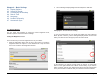
2. Tap the kind of folder you want, and it will be added to the desktop.
4.4 Date and Time
To Open the Date and Time Application
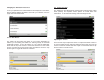
Launch Settings>Date and time to see the master menu. Here you can
set the time, time zone, time format and date format.