
User manual





A7+InternetTablet–UserManualv1.5 Page20
Credential Storage
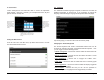
Your Tablet allows applications to access secure certificates and other
credentials. To enable this, you must enter a password (at least 8
characters). Enter the password twice for confirmation, then tap OK.
By tapping the check box next to Use secure credentials, you activate
this feature. You can install encrypted certificates from an SD card and
set or change the credential storage password.
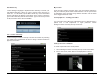
You can clear credential storage of all contents and reset its password
by selecting Clear Storage.
4.7 Accounts & Sync
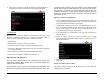
You can sync/send/and receive data at any time by setting general sync
applications. Launch Settings>Accounts & sync to access the main Sync
menu.
Background Data
The Tablet is set with a default that allows applications to sync data in
the background while you are engaged in other activities.
Tap the check box next to Background data if you want to disable this
feature. Disabling background data extends battery life and lowers data
use, but some applications may still use the background data
connection.
Auto-Sync
Applications can sync data automatically with your Tablet if the box next
to Auto-sync is checked.
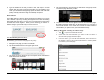
You can Add accounts by tapping the button at the bottom.