
User manual





A7+InternetTablet–UserManualv1.5 Page35
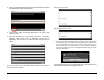
Press the New Contact button to open the data entry screen for a new
contact. Tapping the data fields will open the virtual keyboard so you can
type in the information.
You can set define sort options in the Contact Manager as well as
display options like first name first or last name first.
8.10 OI File Manager
The OI File Manager works like Windows Explorer or the Mac Finder,
allowing you to you browse and manage the contents of your Tablet.
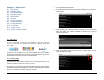
Activating the File Manager
There are two ways to activate the File Manger:
3. Tap the Master Apps key on the Smart Menu then tap the
shortcut for the File Manager app.
4. Add a shortcut to the desktop for the File Manager (see Chapter 4.3)
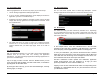
The icons at the top left of the screen indicate the levels of depth you are
viewing. In the example below, the view shows that you are looking at
the internal SD memory, which is indicated by the blue SD card icon.
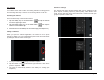
As you tap each folder and go deeper, additional icons are added to the
line at the top.